TikTok Video Analyzer
Get to the creative core of any TikTok short. Paste a video link or upload a file, and Clipcat breaks it down shot by shot, pulling out scene descriptions and the voiceover transcript so you can read and replicate viral formats fast.
What is Video Analysis?
Video Analysis is Clipcat's TikTok short-video breakdown tool. Just paste a TikTok link or upload a video file, and it automatically splits the video into shots and outputs a full video script — each shot labeled with its shot type, time range, scene description (framing, blocking, composition, expression) and matching voiceover. No frame-by-frame pausing or rewatching: in seconds you understand a viral video's creative structure and its hooks, giving you a foundation for ideation, scripting and replication.
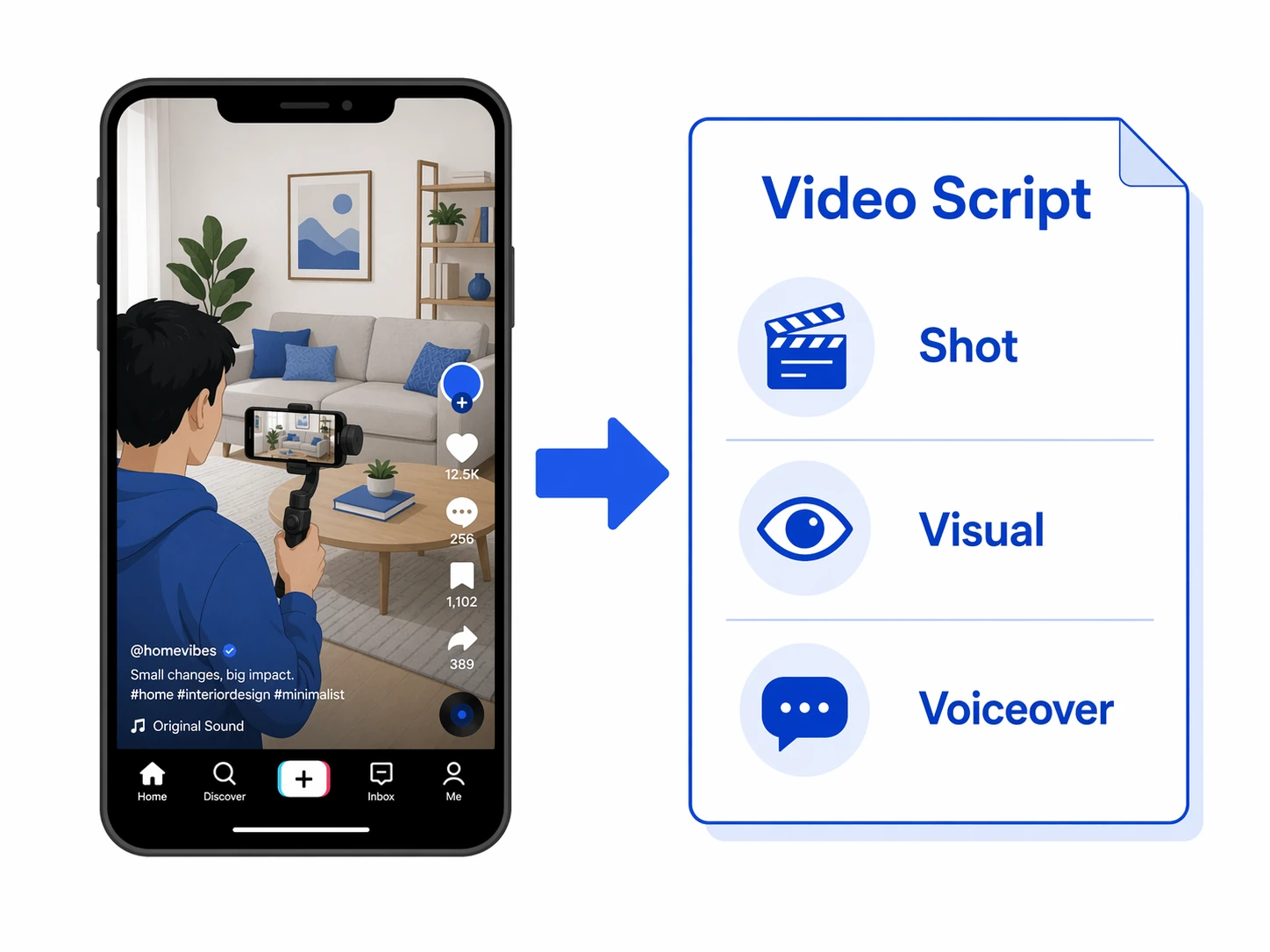
Break out a full video script in 3 steps
No frame-by-frame study, no filmmaking jargon. Paste a link or upload a video and get a shot-by-shot breakdown of scenes and voiceover.
Paste a link or upload
Paste a TikTok link, or upload an MP4 (up to 10MB). Both routes produce the same analysis.
Shot-by-shot parsing
The system splits the video along its timeline, identifies each segment's framing, blocking, composition and expression, and transcribes the matching voiceover.
Scenes + voiceover
You get a full video script with shots, scene descriptions and voiceover aligned one to one — copy it in a click for study and replication.
A closer look at Video Analysis
From two input methods, to shot-by-shot scene breakdown, to an aligned voiceover transcript — one analysis gives you the complete video script.
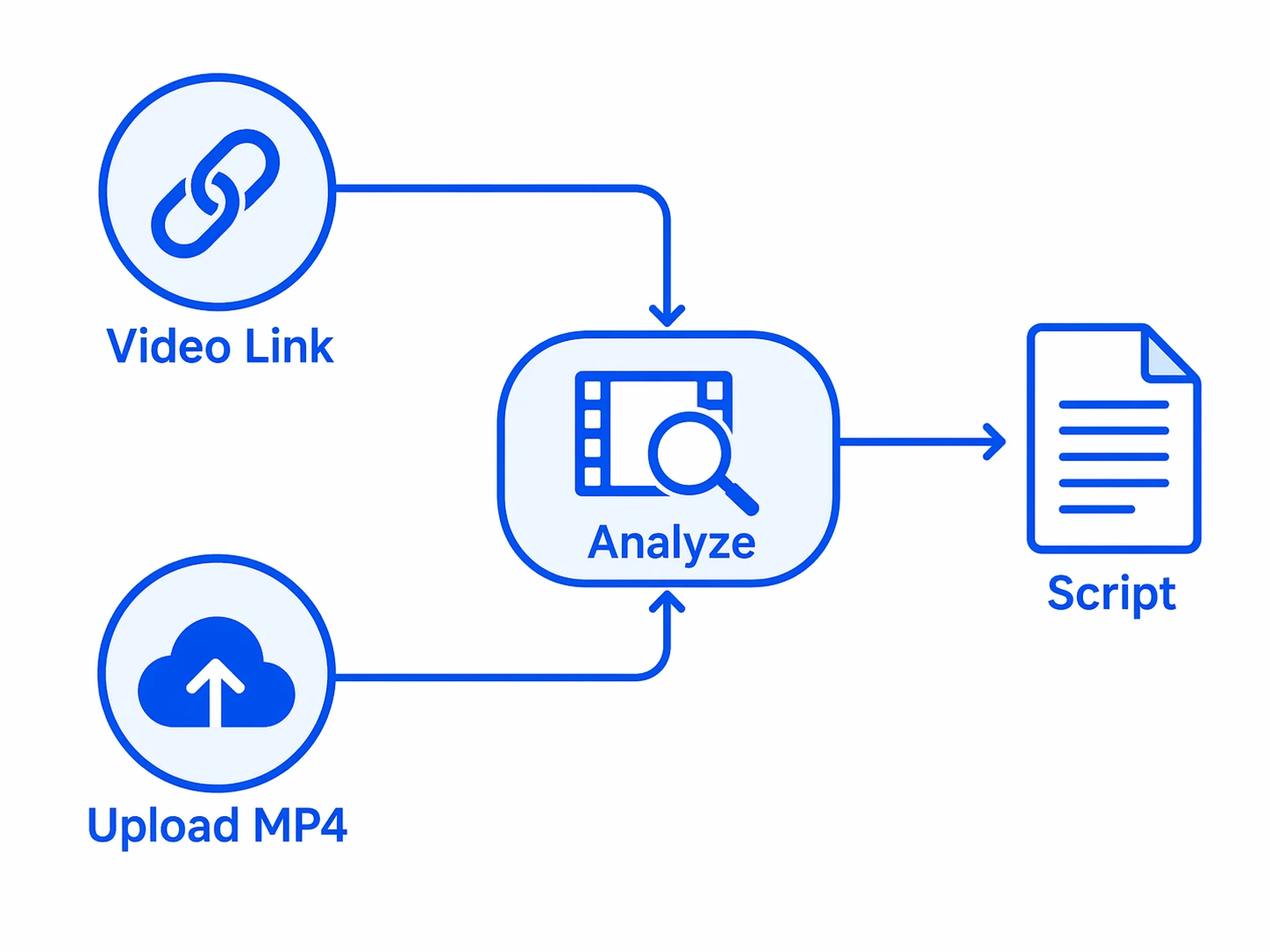
Link or upload — analyze anything
Paste a TikTok link, or upload an MP4 file (up to 10MB). Whether you're studying someone else's viral reference or reviewing footage you shot yourself, both routes feel the same and produce the same detailed video script.
About the inputs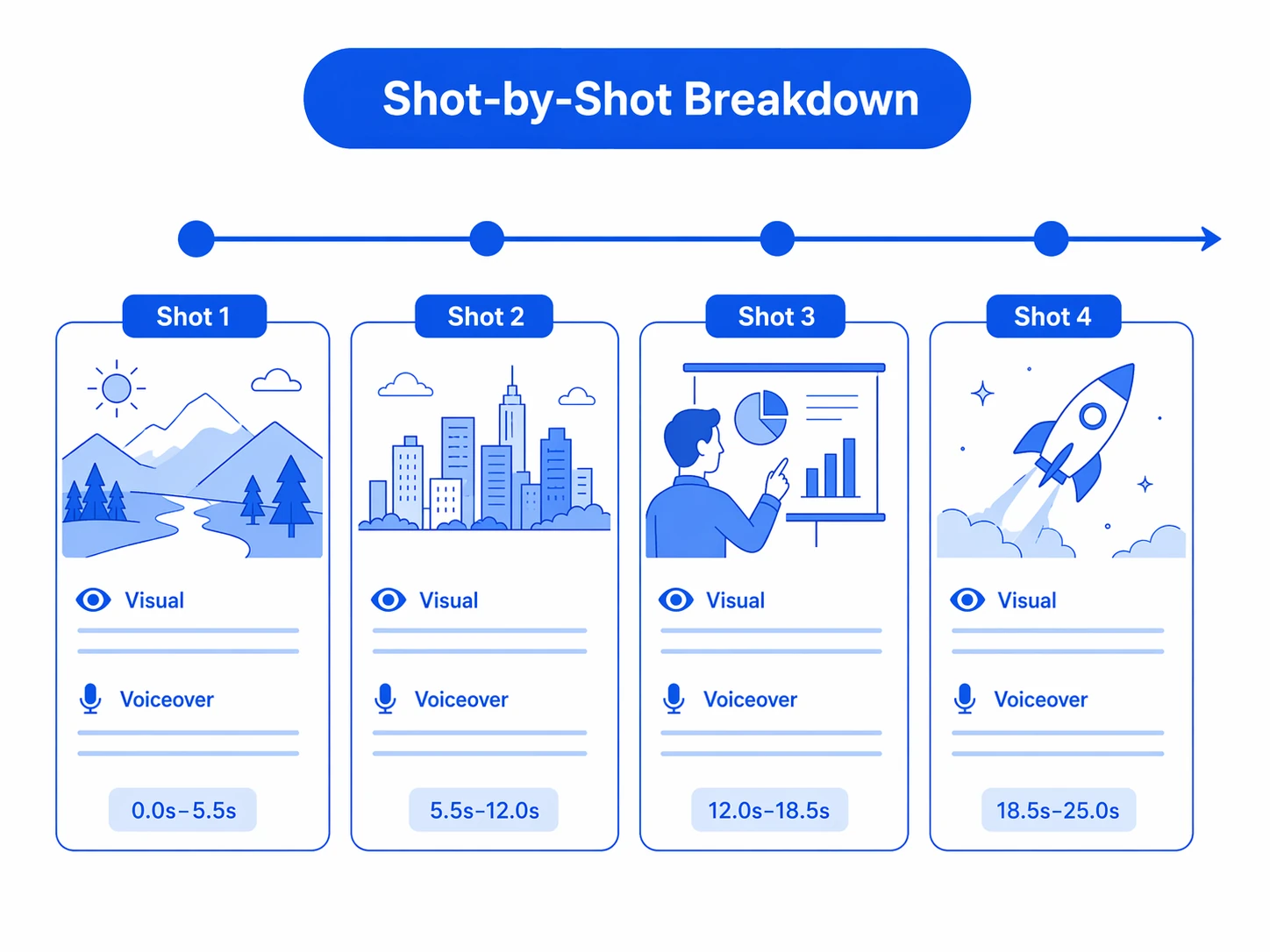
Break it down, read every shot
The system splits the video into shots along its timeline, labels each with its shot type and time range, and describes the frame in clear words — camera position, blocking, composition, props and expressions, all reconstructed. Without pausing frame by frame, you can see exactly how every shot in a viral video was designed.
See the shot breakdown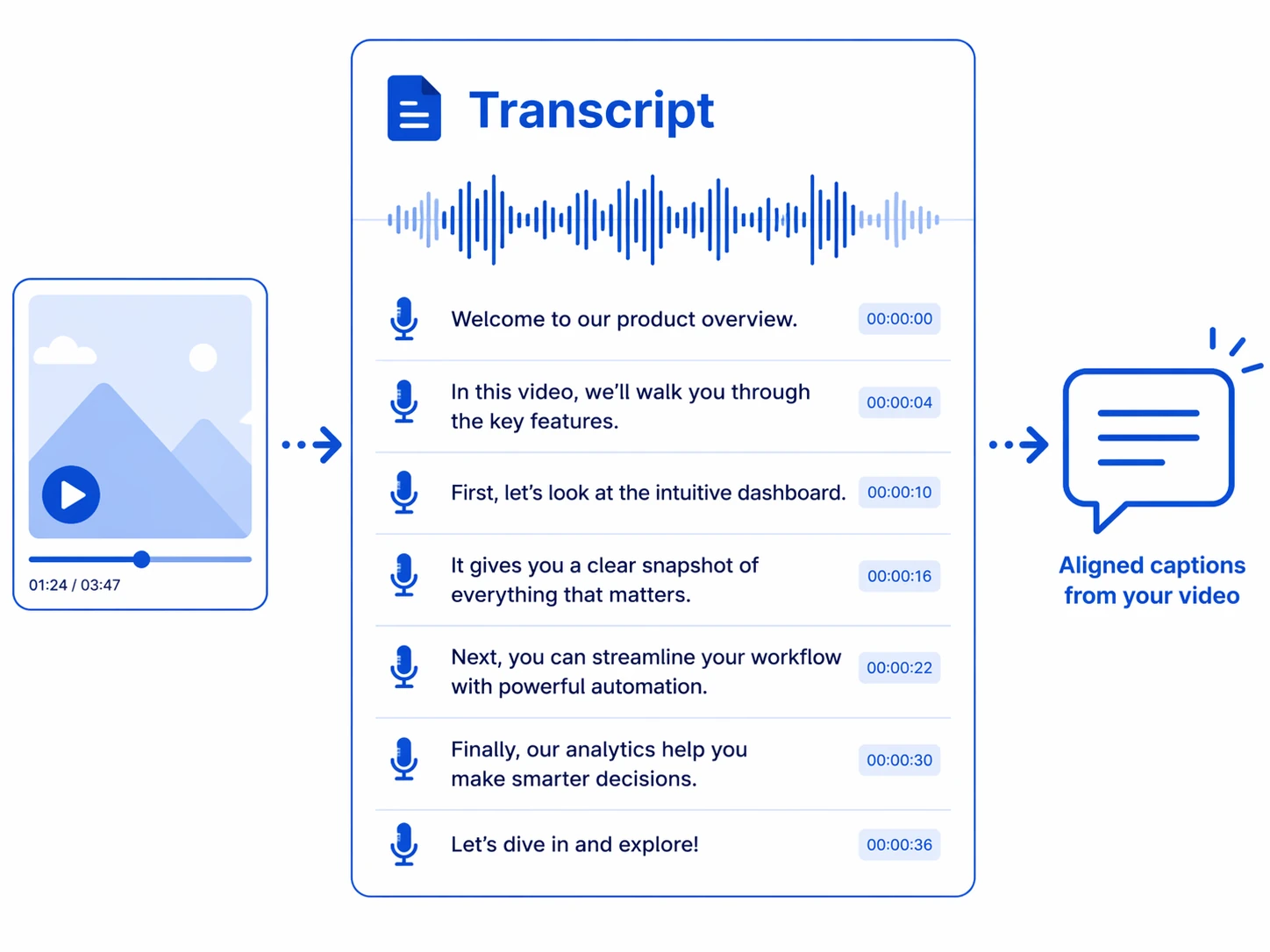
Transcribed line by line, aligned to the visuals
The original voiceover is transcribed line by line and aligned to each shot, shown alongside the scene descriptions. You can see exactly what's said in every shot, study a viral video's line pacing and opening hook, and easily rewrite it into your own script.
About the voiceoverWhy use it for video analysis
Turn the old routine of pausing frame by frame, noting down visuals and re-transcribing lines into a single paste and a few seconds of breakdown.
No barrier, instant script
No filmmaking jargon needed — paste a link or upload a video to get a full shot script, cutting the study of a viral video from tens of minutes to seconds.
Scenes and voiceover together
Scene descriptions and voiceover are aligned segment by segment, so how each shot is filmed and what's said is instantly clear and the creative core is easy to read.
Link or upload, same flow
Both video link and local upload are supported with the same experience and the same result — handy whether you're benchmarking others or reviewing your own.
Who should use Video Analysis?
From solo creators to brand teams — anyone who needs to read viral videos fast, break down visuals and lines, and build a reusable script library can save serious time with this tool.
TikTok sellers / operators
Paste a benchmark shopping video and get a full shot and voiceover breakdown in seconds, quickly reading the hooks and selling-point pacing, then rewriting them into your own script.
Marketing / content teams
Break down viral videos across markets in bulk to build reusable scene and script templates, keeping content style consistent and targeting different audiences more efficiently.
Short-video / visual creators
Turn great videos' shots, blocking and expressions into written scripts as a reference and inspiration library — grasp viral techniques without pausing frame by frame.
Brands / merchant teams
Systematically break down benchmark accounts' viral videos into a reusable script asset, keeping content output consistent across multiple lines.
Cross-border / multi-market teams
Quickly break down the visuals and lines of viral videos in each market, read local content styles, and reuse one analysis across regions — doubling ideation efficiency.
MCNs / agencies
Break down viral videos in bulk for many clients and accounts, delivering a full set of scene and voiceover scripts in minutes and slashing the cost and cycle of content planning.
Why they can't do without it: real results from real users
Hear from the sellers, creators and teams who changed how they research content — their stories are full of real time savings and higher output.

I used to pause viral videos frame by frame and still couldn't note everything after ages. Now one link breaks out all the shots and voiceover — how it's filmed, what's said, all crystal clear — and rewriting it into my own script is so much faster.

What I love most is how it aligns the scene descriptions and voiceover shot by shot, so I understand each shot's design without rewatching. It handles the repetitive breakdown and transcription; I keep my time for the creative work.

One benchmark video turns into a reusable script template, which makes targeting different markets and audiences so easy. Our team built up a library of viral shot breakdowns, and ideation and output are noticeably better.

We run over a dozen accounts, and breaking down viral videos and noting scripts used to be all manual. Now bulk analysis handles it in one go with the visuals and voiceover ready — our delivery speed and polish both went up a level.

As a brand, reading each market's viral content matters. It breaks down the shooting techniques and line hooks clearly, works with both links and uploads, and makes the team's benchmark research more systematic and less painful.
Zero background needed — one link and I understand a viral video's shots and voiceover, then just rewrite and shoot. It's saved me a ton of research and note-taking time.
About Video Analysis
Two: paste a TikTok video link, or upload a video file (MP4 format, up to 10MB). Both feel the same and produce the same result — a shot-by-shot breakdown with scene descriptions and voiceover.
A full video script, broken down shot by shot. Each shot includes its shot type, time range, scene description (framing, blocking, composition, expression) and the matching voiceover, fully reconstructing the short's creative structure.
The voiceover is transcribed line by line from the original audio and aligned to each shot, preserving the original content — handy for studying a viral video's line pacing and opening hook, and for rewriting it later.
Uploads support MP4 format, up to 10MB per file. For larger videos, use the video-link method or compress the file before uploading.
The most common use is studying and replicating viral videos: by breaking down the visuals and voiceover, you quickly grasp a benchmark video's shot structure, camera language and line hooks, then rewrite them into your own script — greatly lowering the cost of ideation and shooting.
Paste one link, break out a full video script
Paste a video link or upload a video and get a shot-by-shot breakdown of scenes and voiceover in seconds — insight into the creative core of any short.