AI Product Scene Photos
Place your product into a real lifestyle scene, capturing the moment it's actually "in use" — the product stays consistent, ready for TikTok Shop product pages, short-video covers, livestream backdrops, and ad creative.
What is "Scene Image"?
Scene Image is Clipcat's TikTok Shop visual tool. Upload a product reference photo and it naturally places the product into a real lifestyle scene, capturing the moment it's actually "in use" — like a white-collar woman holding a thermos while drinking in a café. You can describe the scene yourself, or leave it blank and let the system match one intelligently; the exact same product stays consistent before and after, with only the surrounding environment and usage context changing. Output at 9:16, 16:9, 1:1 and other sizes, generating several at once, ready to use directly on product pages, short-video covers, livestream backdrops, and ad creative.
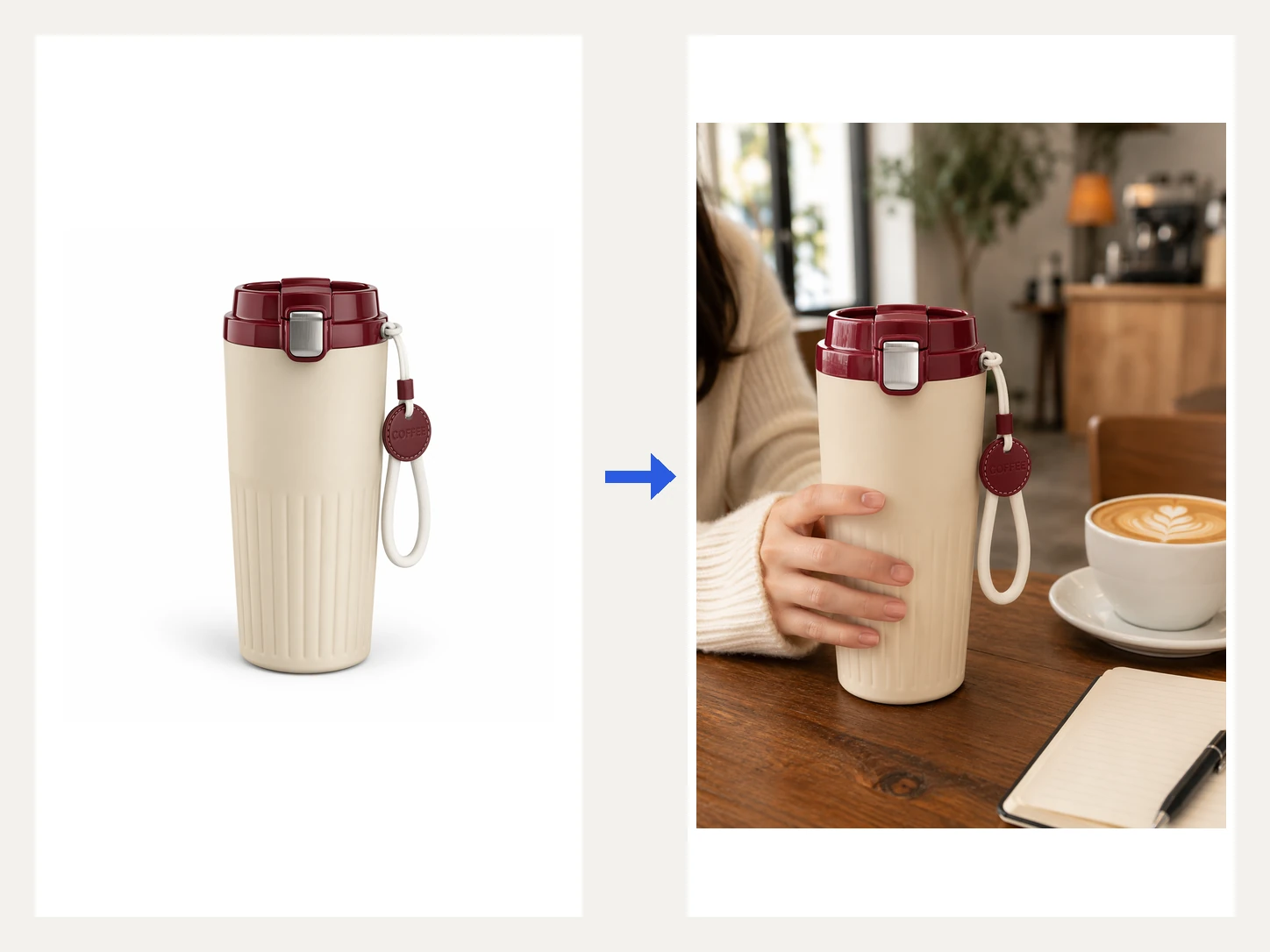
Generate a scene image in 3 steps
No staging or location shoot needed — upload a product photo, fill in the scene requirement and size, and get a finished image with the product naturally placed in a real scene.
Provide a reference image
Pick from your asset library or upload locally a product reference photo — a white-background shot or real photo both work, and the system makes this product the star of the scene.
Describe the scene, pick a size
Fill in the environment, mood and usage you want (optional — leave blank for smart generation), then choose an image size and how many to generate.
Get a usage scene image
The system naturally places the product into a real scene, outputting a ready-to-use scene image while keeping the exact same product before and after.
A closer look at Scene Image
From smart scene matching to natural product placement to multi-scene, multi-size coverage, one generation gets you a ready-to-use lifestyle scene image.
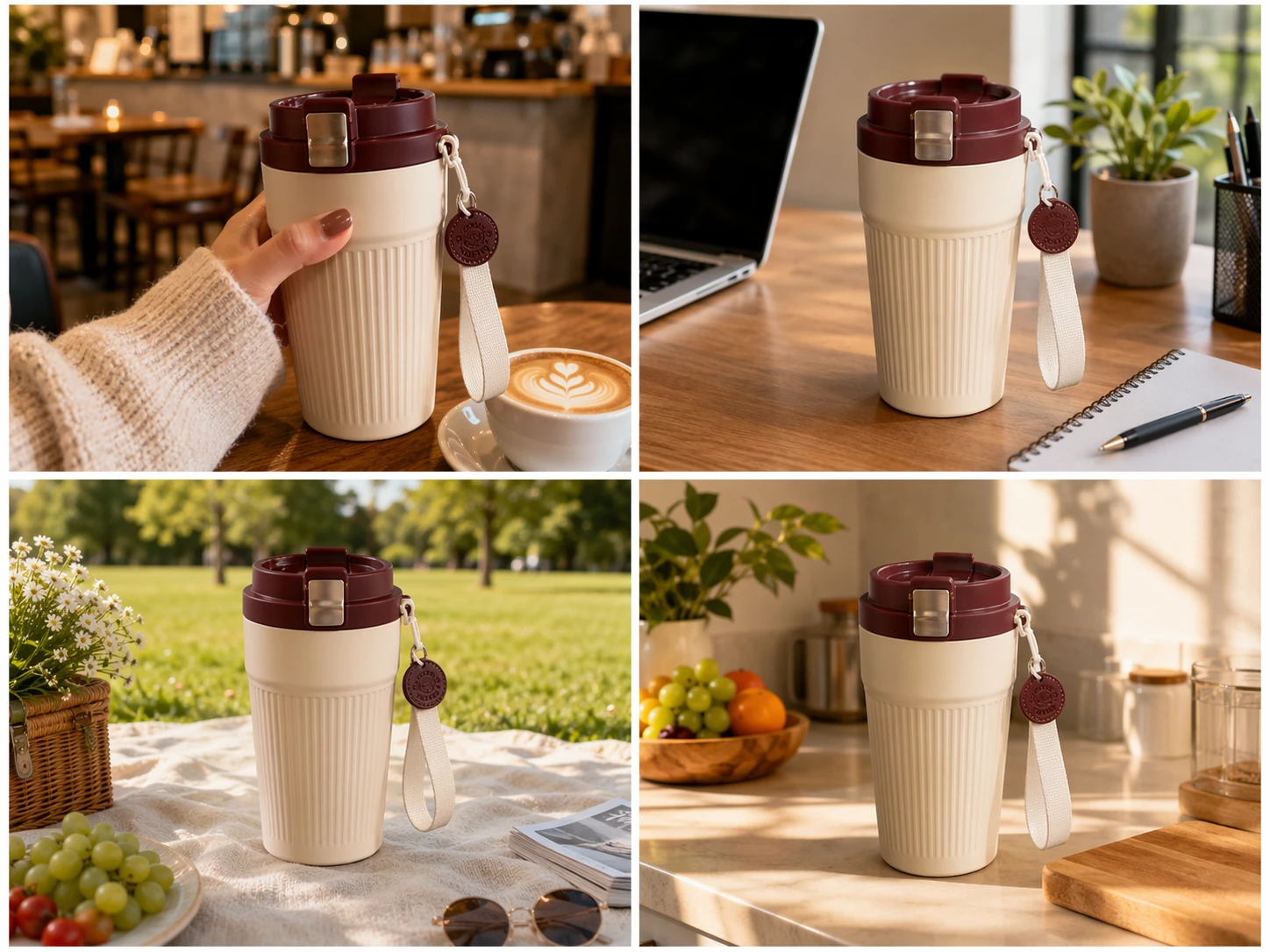
Places your product into the right lifestyle scene
You can describe the environment, mood and usage you want directly, or leave it blank and let the system match one intelligently based on the product. It generates real, category-fitting scenes for the same product — a café, a desk, an outdoor picnic, a kitchen counter — so buyers can instantly picture "using it like this".
Learn about smart scenes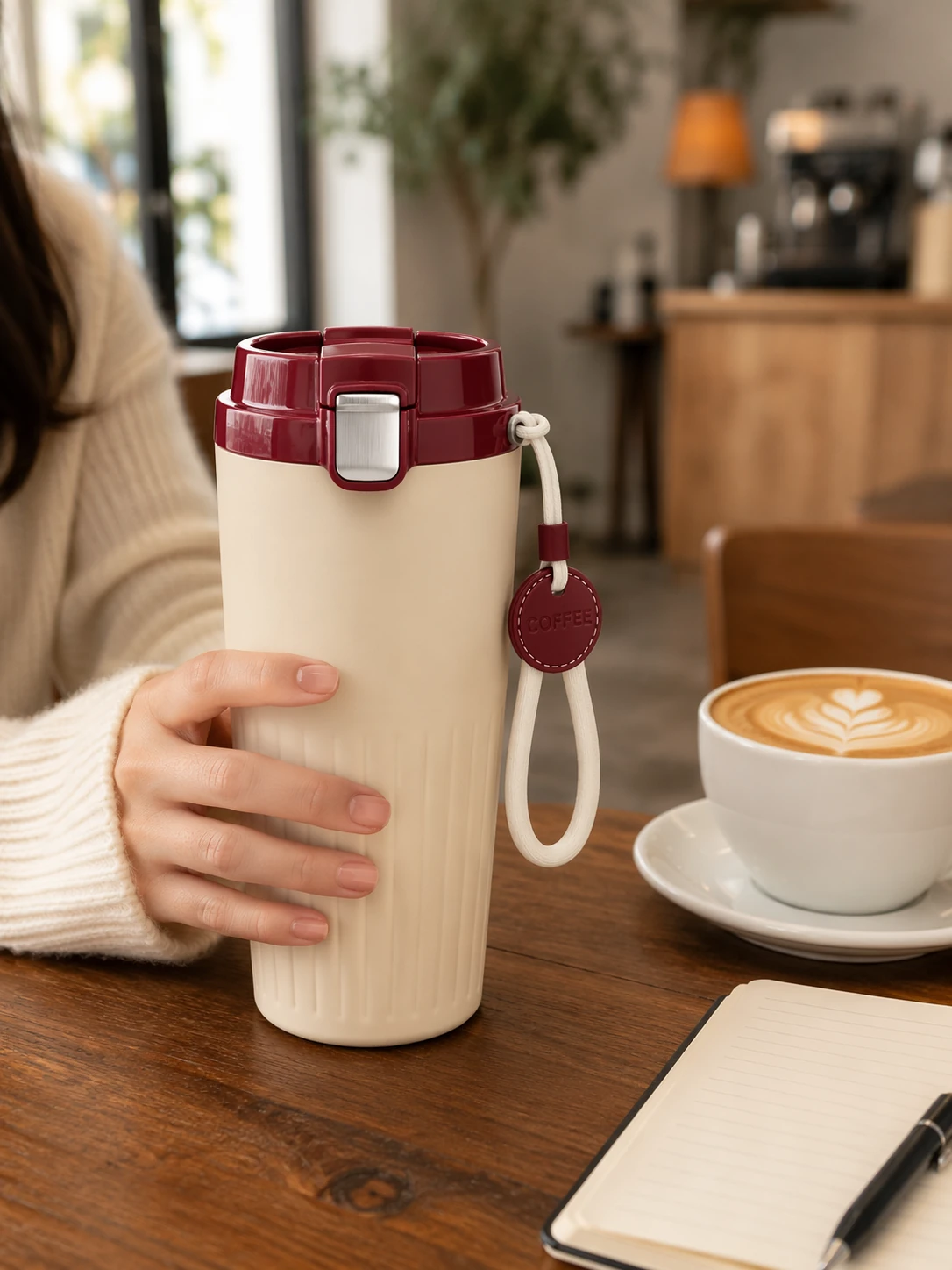
What changes is the scene, not the product
The image naturally places the product you uploaded as the star of the scene, changing only the surrounding background, light and usage context. The white-background photo before generation and the scene image after generation keep the exact same product appearance, color, material and structure, so what buyers see matches the real product exactly — no mismatch after delivery.
See an original vs. scene comparison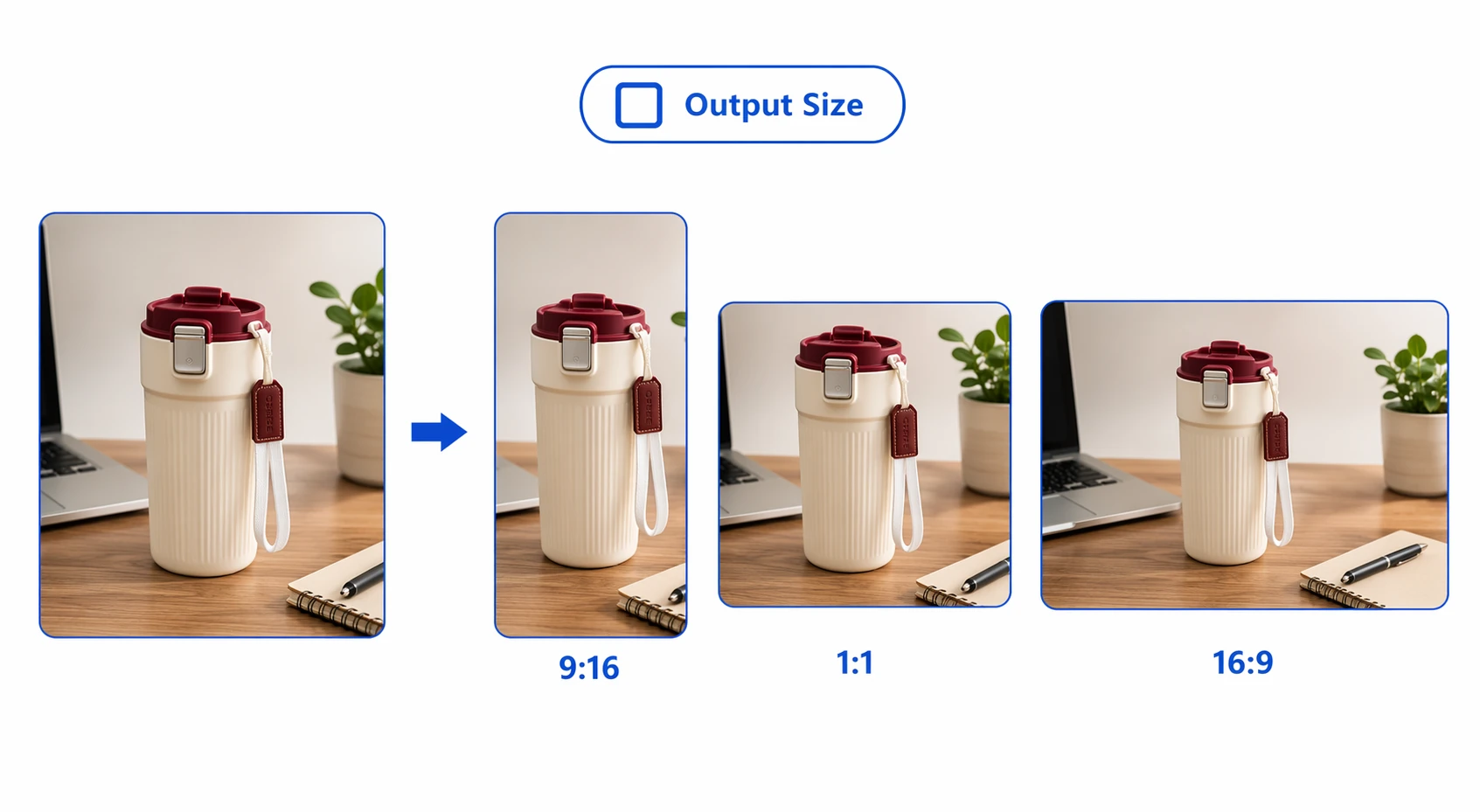
One scene, every channel's size
The same scene image can be output at 9:16, 16:9, 1:1 and other sizes, generating 1 to 4 images at once, flexibly fitting TikTok Shop product pages, short-video covers, livestream backdrops, and ad creative — no need to re-shoot for every placement, doubling batch-output efficiency.
See supported sizes and usesWhy use it for scene images
Compress the old workflow of finding models, staging sets, posing shoots and location shoots into one generation that takes seconds.
Zero staging, instant scenes
No models, sets or location shoots needed — upload a product photo and generate a real usage scene, cutting new-image turnaround from days to seconds.
Consistent, exactly what's shipped
Naturally places the product into the environment while keeping the exact same product, material and color before and after generation, so what buyers see matches the real product exactly.
Multi-size, batch output
The same scene outputs at 9:16, 1:1 or 16:9, generating 1 to 4 images at once, instantly fitting product pages, covers, livestream and ad placements.
Who should use "Scene Image"?
From solo sellers to brand teams, anyone who needs to quickly turn a product into a real usage scene image for product pages and ads can save a huge amount of time with this tool.
TikTok Shop sellers / operators
Place a product into a real usage scene for product pages and covers in one click, showing it "in use", cutting new-listing image prep from days to minutes.
Marketing / content teams
Quickly produce scene assets across various lifestyle contexts with a unified visual style across markets and ad placements, building atmosphere for steadier conversion.
Visual designers
Hand off repetitive compositing work — finding backgrounds, cutting out, blending, relighting — to the model instead of pasting images together one by one, freeing yourself to focus on creative direction and brand control.
Brand / merchant teams
Batch-produce consistently styled scene images across multiple SKUs, keeping visual standards unified and getting your global-launch product-page and ad image assets ready in one pass.
Cross-border / multi-market teams
Generate usage scenes that fit local lifestyle contexts for different markets, producing multiple scene versions from one product and doubling batch-output efficiency without staging.
MCN / agency operators
Batch-generate scene images for multiple clients and stores, delivering a full set of product-page and cover assets in minutes and cutting the cost and turnaround of outsourced shoots.
Why they can't do without it: real results from real users
Hear from the sellers, designers and teams who've transformed their scene-image workflow with it — real time saved and higher conversion.

Getting one usage scene image used to mean finding a model, booking a location, and scheduling a shoot — days of hassle for one set. Now I upload a product photo and get a café or desk scene in seconds — same product, ready to list.

What I love most is how naturally it blends the product into the environment — the light and perspective feel real, not pasted on. Handing off the repetitive compositing work frees my time for creative direction, and my output has doubled.

One product can get café, outdoor and kitchen scenes all at once, which is great for running different markets and audiences. The real usage vibe makes it easier for buyers to picture themselves using it, and product-page conversion has visibly improved.

We manage a dozen-plus stores, and scene images used to be outsourced shoots — expensive and slow. Now batch generation is done in one pass, and both our turnaround and professionalism have gone up a level.

As a brand, visual consistency across markets matters a lot. It keeps the product consistent before and after placement, every scene version stays unified, and our global-launch product-page and ad assets are ready in one pass — it's both a relief and a professional touch.

Zero shooting background — I upload a product photo and get a real usage scene image with the exact same product, ready to list right away. It's saved me a huge amount on hiring photographers and set designers.
About Scene Image
Just upload one product reference photo (a white-background shot or a real photo both work). Scene requirement is optional — fill it in to generate the environment and usage you describe, or leave it blank and the system matches a fitting scene based on the product.
Yes. Describe the environment, mood and usage you want in "Scene requirement", e.g. "a modern minimalist café, cozy afternoon light, a white-collar woman holding it while drinking"; leave it blank and the model generates a fitting scene based on the product category.
Yes. The system naturally places the product you uploaded as the star of the scene, changing only the surrounding background, light and usage context — the product's appearance, color, material and structure stay consistent before and after, with no distortion, avoiding any mismatch after delivery.
Yes. Enter a target ratio like 9:16, 16:9 or 1:1 in "Image size", and enter 1, 2, 3 or 4 in "Number of images" to produce multiple versions at once for different placements.
Yes. The output is a finished image with the product naturally placed in a real scene, fitting TikTok Shop product pages, short-video covers, livestream backdrops, and ad creative — ready to use right after downloading.
Upload a photo, generate a usage scene image in one click
Place your product into a real lifestyle scene — get a ready-to-use scene image in seconds, same product before and after.