TikTok Creator Video Finder
Enter a TikTok creator's handle and review their recent posts in one table — link, title, caption, duration, likes, comments, saves and shares, all in one table you can copy in a click, with analysis and script breakdowns ready to run next.
What is "Collect Creator Videos"?
Collect Creator Videos is Clipcat's research view for a TikTok creator's recent posts. Just enter a creator's handle (e.g. @quinclips3), set how many videos to collect, and hit "Start collecting" — it looks up that creator's recent posts and organizes the link, title, caption, duration, likes, comments, saves and shares for each video into a copyable table, sorted newest to oldest. Once collected, you can keep going with analysis and script breakdowns to quickly figure out a benchmark account's viral playbook.
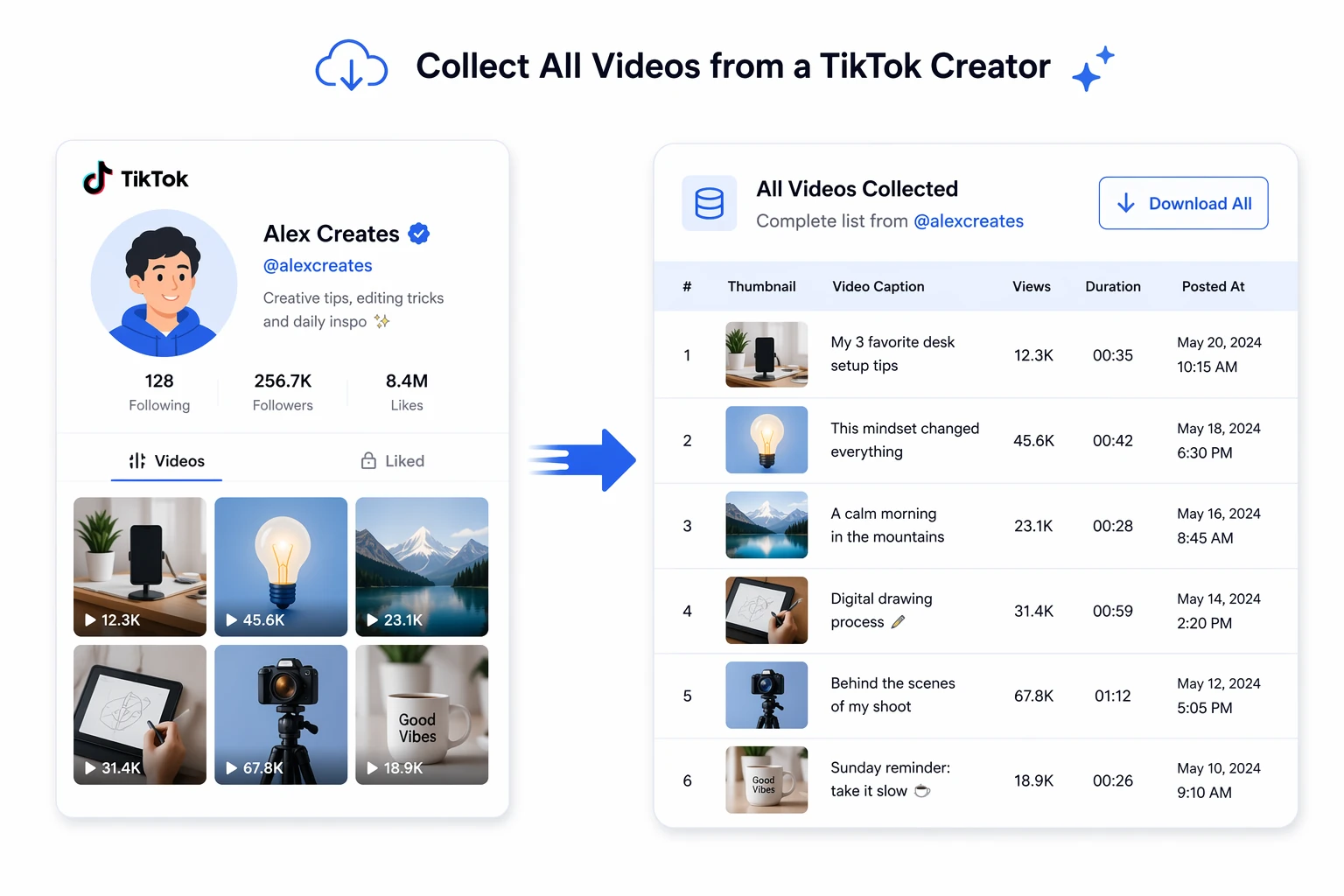
Collect a creator's full video library in 3 steps
No extensions to install, no scrolling through profiles by hand — enter a handle, set a count, collect in one click, and get an organized data table in seconds.
Fill in the creator's handle
Enter the TikTok creator's handle you want to study (e.g. @quinclips3) and set how many videos to collect.
Auto-extracts every video
Click "Start collecting" and the system automatically pulls that creator's videos, extracting links, titles, captions and engagement data.
Organized and ready to use
Data is sorted by publish date and organized into a table with select-all copy — and you can keep going with video analysis and script breakdowns.
A closer look at Collect Creator Videos
From pulling up a creator's recent posts in one click, to a full set of engagement fields, to analysis and script breakdowns right after collecting — it closes out benchmark research in one place.
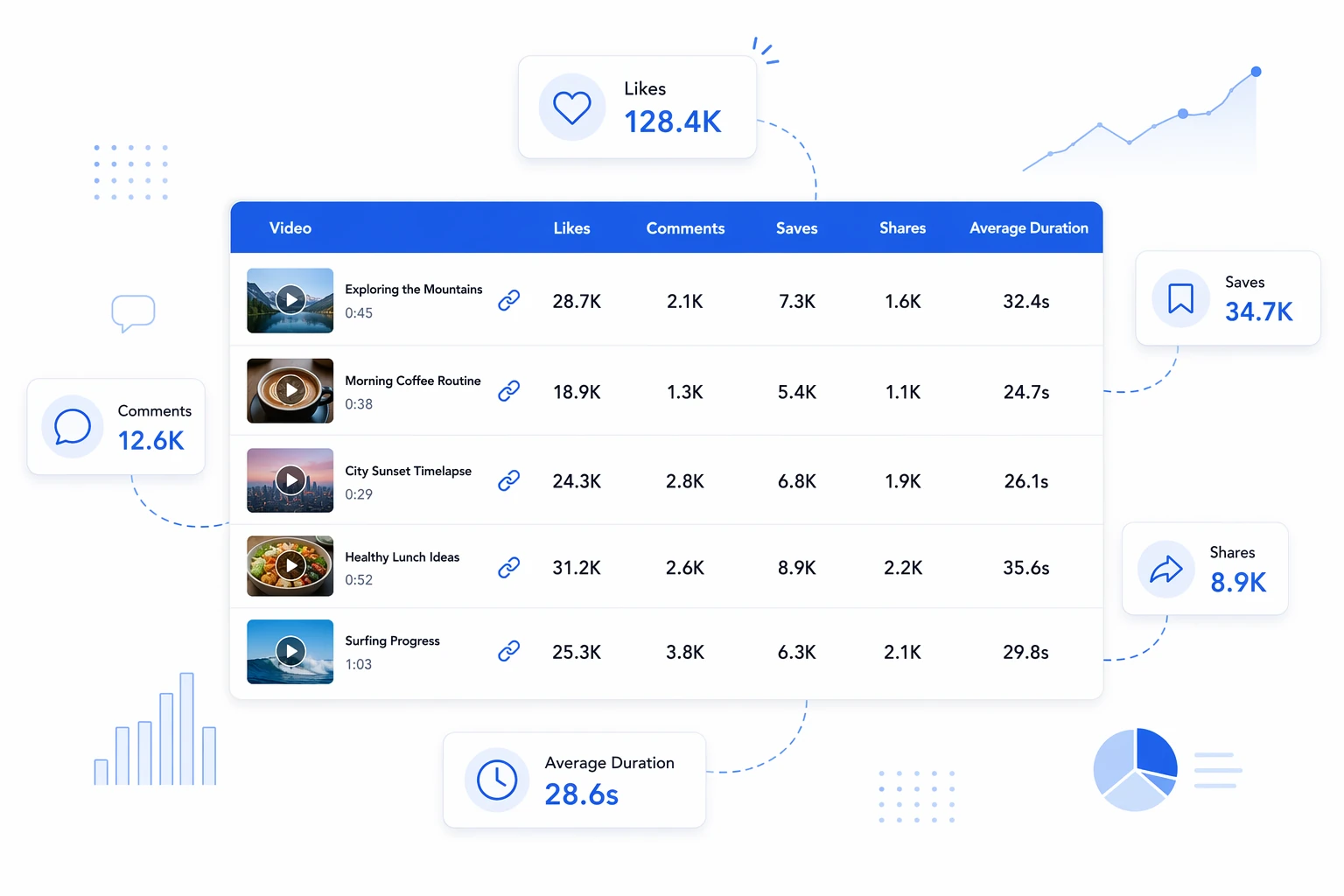
Everything at once, nothing missing
Every video is extracted with its TK link, title, caption, duration, likes, comments, saves and shares, all rolled up into one table. Engagement is clear at a glance — which video is the hit and which numbers stand out jumps right out.
About the collected fields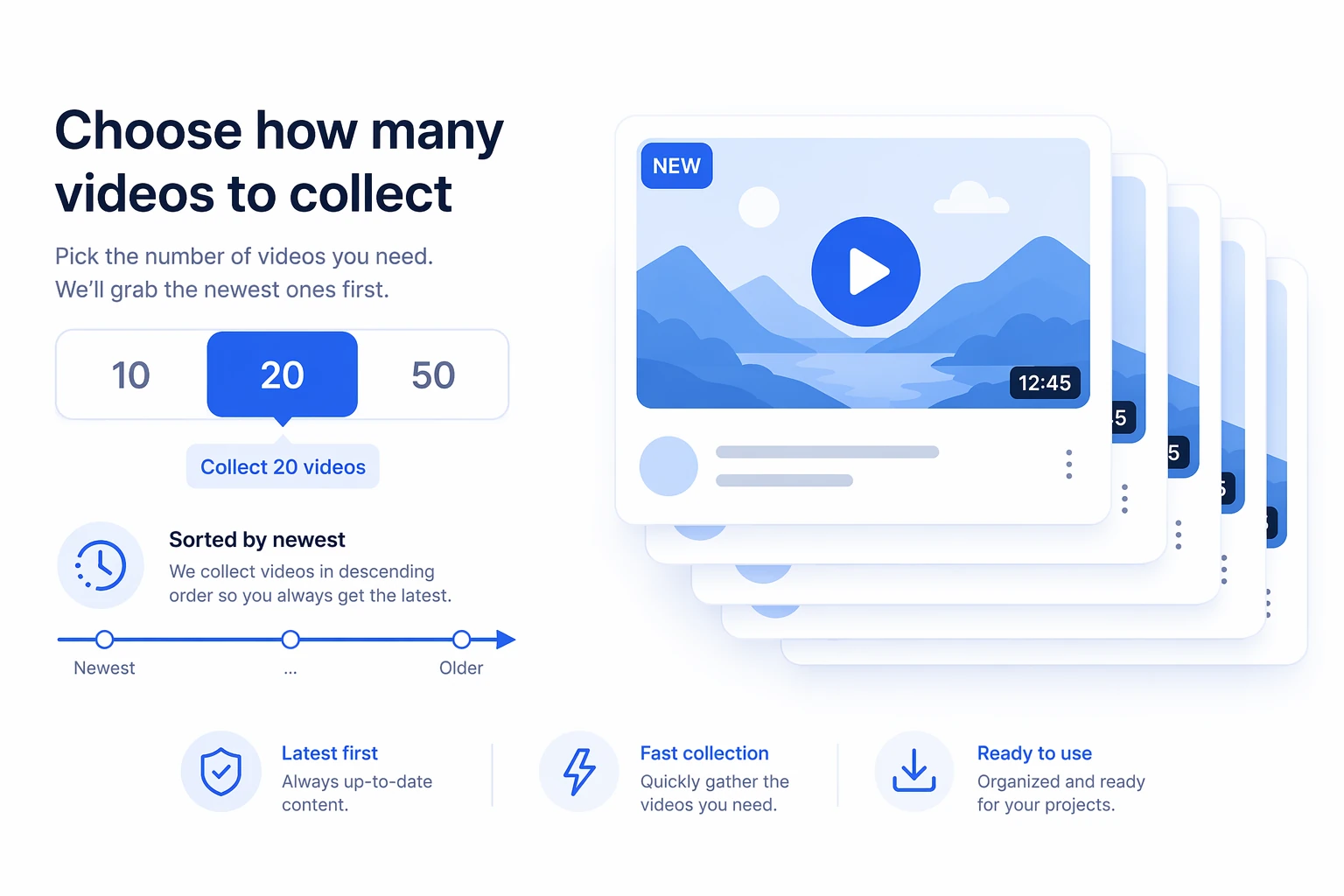
Collect as many as you want
Whether it's 10, 20 or more, set the count yourself and the system sorts newest to oldest for you. Grab the latest updates fast, or capture an account's recent output in one pass — you decide the research pace.
About the video count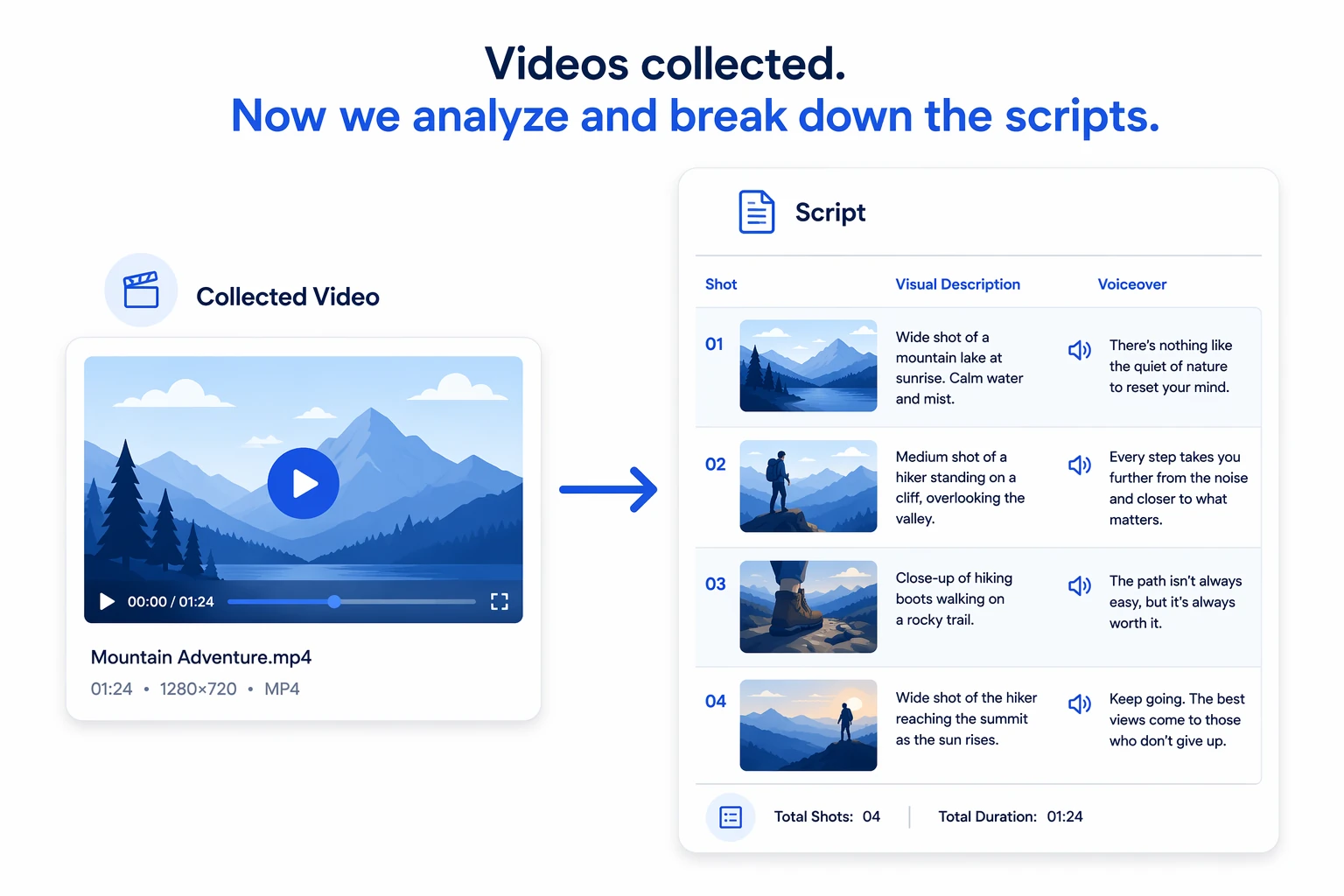
Keep going straight into script breakdown
Collecting is just step one. Once you have the video list, you can go straight into analysis and script breakdowns for any video that interests you, restoring the viral video's shots, visuals and voiceover structure for benchmarking and recreation in one flow.
About video analysisWhy use it to collect creator videos
It compresses the old grind — scrolling profiles one by one, hand-copying data, cross-checking numbers back and forth — into one entry and a single click.
Zero barrier, videos in seconds
No extensions, no scrolling through profiles one by one — enter a handle and review a creator's recent posts, with an organized data table back in seconds.
Full data, every field intact
Link, title, caption, duration, likes, comments, saves and shares all collected at once, engagement neatly tabled and ready to copy.
Breaks down further, all the way
Right after collecting, analyze and break down scripts directly — from raw data to content, get the full picture of a benchmark account's viral playbook in one workflow.
Who should use Collect Creator Videos?
From solo creators to brand teams — anyone who needs to study a benchmark creator, bulk-organize video data or break down viral scripts can save serious time with this tool.
TikTok sellers / operators
Lock onto a benchmark affiliate creator, bulk-collect all their videos and engagement data, quickly spot the hits, study the playbook and script, and recreate it more efficiently.
Marketing / content teams
Review engagement data from benchmark accounts and compare across topics side by side, giving the team's content strategy and topic research a solid data footing.
Short-video / visual creators
Collect all of a favorite creator's videos in one pass, pair it with script breakdowns to restore shots and voiceover structure, and make benchmarking and finding inspiration effortless.
Brands / merchant teams
Systematically collect video data from benchmark accounts and build it into a reusable benchmarking asset, giving content research across multiple lines one consistent data foundation.
Cross-border / multi-market teams
Quickly collect video data from popular creators across regions, organize once and reuse everywhere, building a cross-market benchmark library and doubling topic-research efficiency.
MCNs / agency operators
Bulk-collect benchmark creator videos for multiple clients, organize them into one table with script breakdowns attached, and deliver research materials fast and professionally.
Why they can't work without it: real results from real users
Hear from the sellers, creators and teams who use it to study benchmark creators, organize video data and break down viral scripts — these stories add up to real time saved and a smoother workflow.

Studying a benchmark creator used to mean scrolling through their profile and copying data by hand — tiring, and easy to miss things. Now entering a handle collects all their videos at once, links, captions, likes and comments in one table, so I can spot the hits immediately.

My favorite part is going straight into script breakdown after collecting — it restores the shots and voiceover structure. Benchmarking and finding inspiration is so much faster than before.

I can collect dozens of videos in one pass, all neatly tabled, and comparing engagement across topics side by side is so convenient. Our team's topic research now genuinely has data behind it.

We manage a dozen-plus accounts, and benchmarking research used to be all manual copying. Now bulk-collecting is done in one pass — data tabled, scripts broken down — and both our delivery speed and professionalism have leveled up.

As a brand, systematically studying benchmark accounts across markets matters a lot. It collects reliably with every field intact and exports easily, making our team's benchmarking analysis far more systematic and effortless.

Zero experience needed — enter a handle and out comes all of a benchmark creator's video data, ready for script breakdown next. It's saved me a huge amount of time scrolling profiles and copying data by hand.
About Collect Creator Videos
Enter the TikTok creator's handle you want to study (e.g. @quinclips3), set how many videos to collect, and hit "Start collecting." The system automatically pulls that creator's videos and organizes the data into a copyable table.
Each video is extracted with its TK link, title, caption, duration, likes, comments, saves and shares, all rolled up into one table for easy side-by-side comparison and organization.
Just enter the creator's handle. For example, if the TK profile link is https://www.tiktok.com/@quinclips3, the TK handle to enter is @quinclips3.
Yes. You can set a custom count, such as 10 or 20, and the system sorts newest to oldest so you can quickly grab the latest activity.
Once collecting is done, you can go straight into analysis and script breakdowns for any video you're interested in, restoring shots, visuals and voiceover structure — making benchmarking and recreation much easier.
Enter a handle, bulk-collect a creator's full video library
Enter a TikTok creator's handle and set a count to extract links, titles, captions and engagement data into one table — and keep going with analysis and script breakdowns.