Video to Prompt
Paste a TikTok video link and get a high-quality, structured prompt ready for AI video generation — covering style, camera, lighting and a shot-by-shot script. Copy and paste to recreate any viral video's playbook in minutes.
What is "Reverse Video Prompt"?
Reverse Video Prompt is Clipcat's TikTok video breakdown tool. Just paste a TikTok video link and it automatically analyzes the footage, camera work, lighting and pacing, then reverse-engineers a high-quality structured prompt ready for AI video generation — covering style, environment, camera, lighting, character, and a shot-by-shot script. You don't have to freeze-frame a viral video to figure out how it was shot; copy the prompt into an AI video model and recreate the same playbook fast.
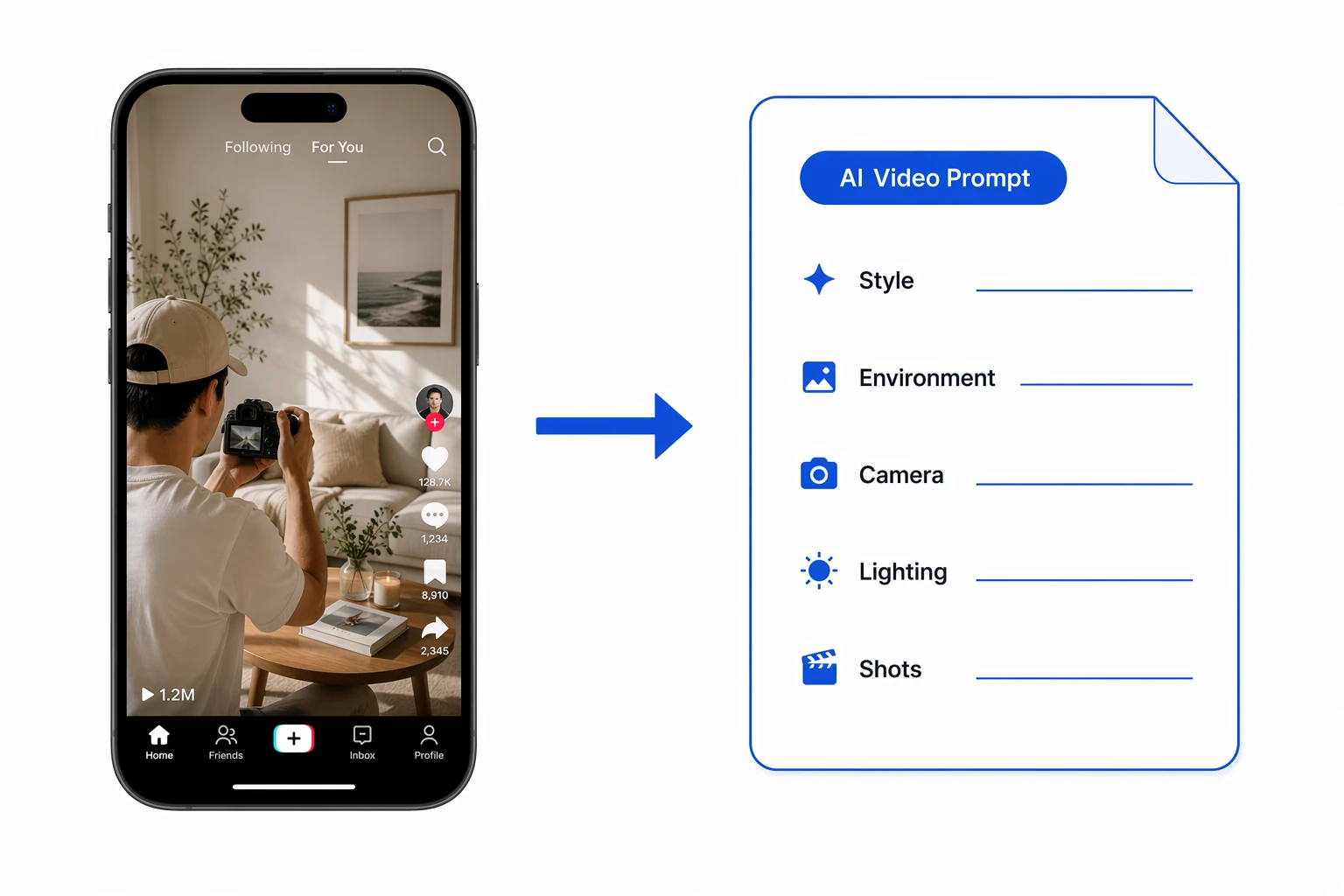
Reverse a usable video prompt in 3 steps
No frame-by-frame study, no filmmaking jargon required — paste a TikTok video link and get a structured prompt ready for AI video generation.
Drop in a TikTok video link
Copy a TikTok video link that includes a video id and paste it in — the system analyzes that exact video, no need to download the original.
Parses footage and camera work
The system automatically analyzes the video's style, environment, camera movement, lighting mood and pacing, then splits it into a shot-by-shot script along the timeline.
A copy-and-paste-ready prompt
Outputs a standard structured video prompt with Style, Camera, Lighting and Shots sections — copy it straight into an AI video model to recreate the same playbook.
A closer look at Reverse Video Prompt
From automatic footage breakdown, to a structured prompt output, to a shot-by-shot script — one reversal gets you a complete prompt ready for AI video generation.
One link, and it reads the whole video for you
Paste a TikTok link and the system automatically identifies the subject, setting, camera language and pacing shifts, breaking a seemingly complex viral video down into reusable shooting elements — no pausing frame by frame or rewatching required.
About automatic breakdown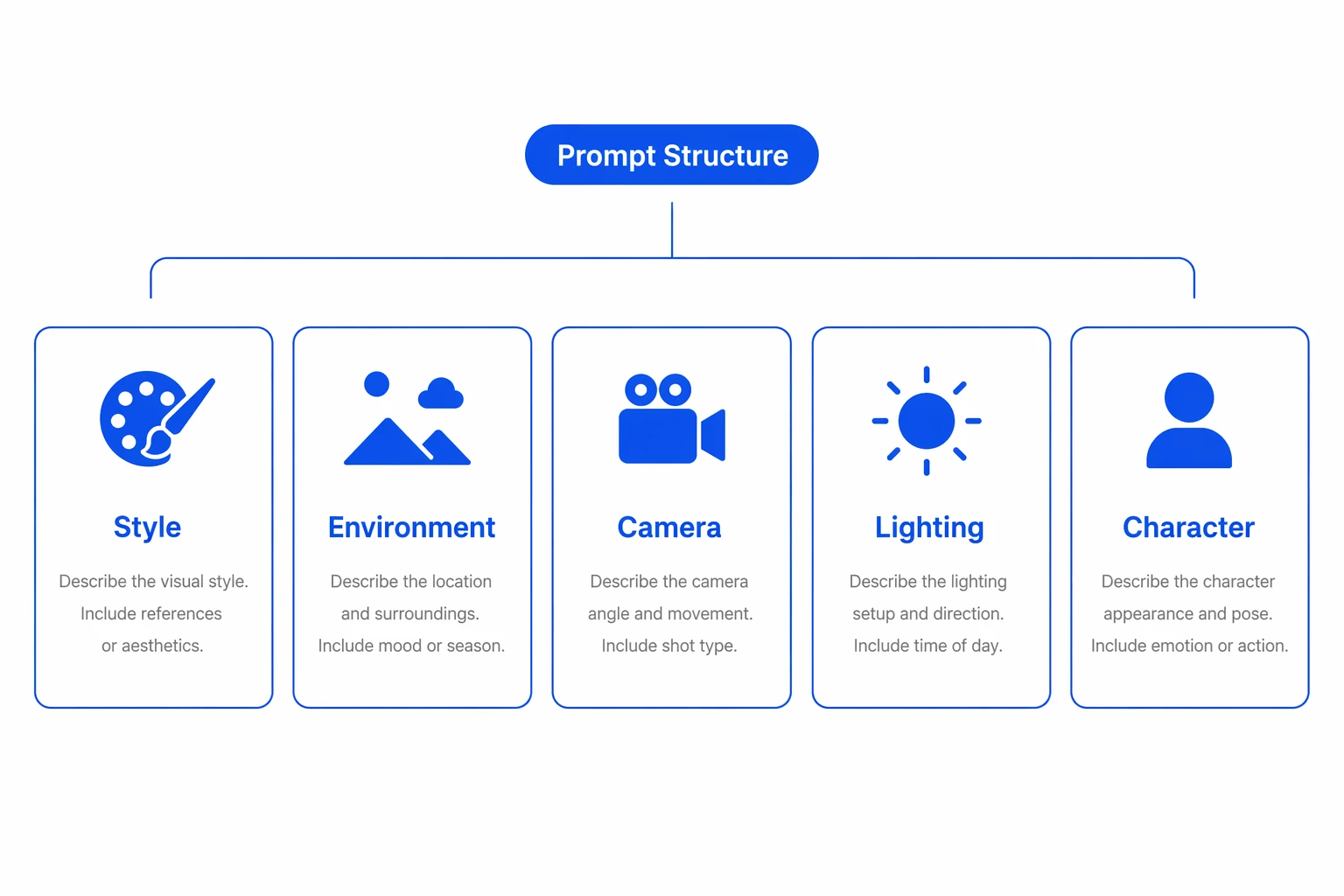
A standard structure, copy-and-paste ready
The result is a standard structured prompt, clearly divided into Style, Environment, Camera, Lighting, Character and other modules — each written in language an AI video model understands. No jargon needed; copy the whole thing into a mainstream AI video tool and generate directly.
About the prompt structure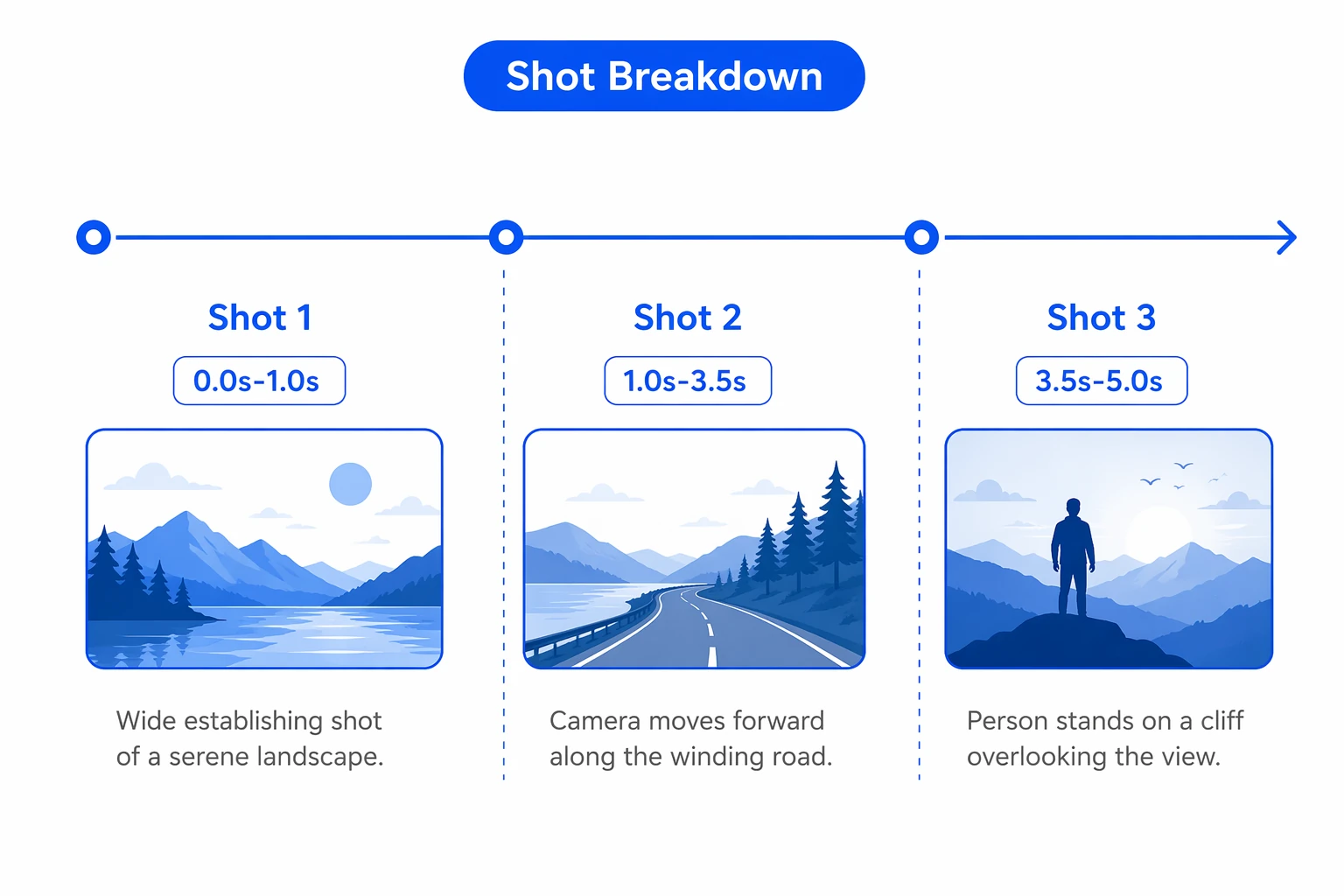
Every shot, the full playbook restored
The prompt breaks the video into shots along its timeline, marking each shot's duration, on-screen action and subject movement — restoring the viral video's camera work and pacing shot by shot, so the AI-generated video doesn't just look similar, it recreates the whole structure and narrative.
About the shot scriptWhy use it to reverse video prompts
It compresses the old grind — freeze-framing viral videos, guessing at camera moves, hand-writing prompts — into one paste and a few seconds of processing.
Zero barrier, prompts in seconds
No need to know filmmaking or camera terminology — paste a link and get a professional-grade structured prompt, cutting hours of study down to seconds.
Structured, copy-and-paste ready
Outputs standard Style, Camera, Lighting and Shots modules — drop it straight into a mainstream AI video model without any manual rewriting.
Restores shots, precise recreation
Splits the video into shots along its timeline, restoring the camera work and pacing so the generated video recreates the structure and narrative, not just a similar look.
Who should use Reverse Video Prompt?
From solo creators to brand teams — anyone who needs to quickly study a viral video's playbook and get a ready-to-generate video prompt can save serious time with this tool.
TikTok sellers / operators
Paste a benchmark video's link and reverse it into an AI-ready prompt, quickly recreating the viral playbook for a product video — from idea to finished clip in minutes instead of days.
Marketing / content teams
Break down viral videos across markets in bulk and build a reusable library of prompt templates, keeping content style consistent and targeting different audiences more efficiently.
Short-video / visual creators
Break a great video's camera work, lighting and pacing into a structured prompt to use as creative reference and a swipe file — no frame-by-frame study needed to master the playbook.
Brands / merchant teams
Systematically study benchmark accounts' viral playbooks and build them into a reusable prompt asset library, keeping content across multiple lines to one consistent standard.
Cross-border / multi-market teams
Quickly reverse viral videos' playbooks across regions into prompts tailored to local content style — break down once, reuse everywhere, doubling batch-production efficiency.
MCNs / agency operators
Reverse viral prompts in bulk for multiple clients and accounts, delivering a full set of reproducible shooting scripts in minutes and cutting content-planning and shooting costs dramatically.
Why they can't work without it: real results from real users
Hear from the sellers, creators and teams who've transformed their video workflow with it — these stories add up to real time saved and higher output.

I used to just eyeball viral videos and imitate them, and the result always fell a bit short. Now I paste a link and get the full prompt back — camera work and pacing spelled out — drop it into an AI video model and it renders directly. Recreating a viral hit is so much faster now.

What I love most is it breaks style, lighting and camera work into structured modules — I don't have to study frame by frame to understand how something was shot. It handles the repetitive breakdown work so I can spend my time on the creative part.

One benchmark video reverses into a reusable prompt template, which makes targeting different markets and audiences so much easier. Our team has built up a library of viral-script assets, and our content output has clearly picked up.
We manage a dozen-plus accounts, and studying viral videos and writing scripts used to be all manual. Now bulk-reversing prompts is done in one pass, and both our delivery speed and professionalism have leveled up.
As a brand, keeping content style consistent across markets matters a lot. It breaks viral playbooks into standard prompts, so multiple versions stay on-brand and our global creative is easier to keep at a consistent standard — simple and professional.
Zero filming experience needed — paste a link and get a prompt ready to generate a video, drop it into an AI model and it renders. It's saved me a ton of money I would've spent hiring a team to plan and shoot.
About Reverse Video Prompt
Just a TikTok video link. Make sure it's a valid link with a video id (e.g. https://www.tiktok.com/@keyairas_view/video/7591173153523535106) and paste it in — no need to download the original video.
A standard structured video prompt divided into Style, Environment, Camera, Lighting, Character and other modules, plus a shot-by-shot breakdown (Shots) along the timeline marking each shot's duration, visuals and subject — copy the whole thing and it's ready to use.
Yes. The reversed result is a structured prompt built for AI video models — copy it into a mainstream AI video generation tool and generate directly, no manual rewriting needed.
The link must be a valid TikTok link that includes a video id. If the link is incomplete or missing the video id, the system can't locate the specific video and the reversal will fail — copy the full share link for the video and try again.
Yes. The prompt restores the original video's style, camera work, lighting and shot pacing — feed it into an AI video model and you can quickly recreate the viral video's playbook and structure, producing a short video in the same style.
Paste a link, reverse a ready-to-use video prompt
Paste a TikTok video link and get a structured prompt ready for AI video generation in seconds — copy and paste to recreate any viral video's playbook.