United States · Computers & Office Equipment · Real Review
 @Lucas Reviews▶ 764
Looking for a reliable addition to your desk setup? This compact wired RGB gaming keyboard features 61 keys with a mechanical feeling design, compatible with both PC and Mac devices. The lighted keys add a customizable look perfect for gaming sessions or everyday use. Tap to shop to add this handy accessory to your collection. Performance may vary by settings, environment, and model. #gamingaccessory #desksetup #pcgaming #techessential #Moras
In a bright home office scene during the day, a 35-40 year old white man sits on an office chair. The initial medium full shot shows the man with hands on the keyboard, a finger pointing at the desk with a surprised gesture, and the opening line raises a question. Then the camera pushes in to focus on the black 61-key compact keyboard, the man brushes the keycaps, presses a key to show RGB backlight, and finally the camera pulls back to reveal the spacious desk space on the right side of the keyboard. The man smiles to introduce the product, with natural dialogue highlighting the keyboard's compact space-saving advantage
[Style]: Realistic digital product review aesthetic, with a clean and crisp image texture, even and soft lighting. The presentation uses a genuine, intuitive viewing angle to highlight product details, creating a professional yet approachable vibe of sharing a great item
[Environment]: A home office scene with ample natural daylight, featuring light beige matte walls. The left-side window is fitted with white venetian blinds and a white wooden windowsill. A black ergonomic office chair with a mesh backrest is placed in the corner. The desktop is tidy, and the space is minimalist, comfortable, and free of harsh shadows
[Tone & Pacing]: A relaxed, humorous daily communication style. The conversational rhythm is natural and laid-back, with no deliberately accelerated editing pace. The core advantages of the product are brought out naturally through the rhythm of everyday interaction
[Camera]: Starts with a fixed medium-wide shot capturing the people and the desktop, then the camera smoothly pushes forward to focus on the main keyboard body. When demonstrating the RGB lighting, the shot switches to a close-up, and later the camera slowly pulls back to reveal the remaining spacious area of the desktop, with all camera movements smooth and steady
[Lighting]: Uses even, soft diffused natural indoor light combined with ambient fill light. The light spreads evenly across the desktop and the person, with no harsh contrast between light and shadow. The entire frame is bright and clear, making all product details distinctly visible
[Character]: A 35-40 year old Caucasian man with a naturally healthy fair skin tone, subtle age-appropriate facial lines, black-rimmed glasses, a slightly rounded face, neat short dark brown hair, completely bare-faced with no makeup, and a stocky build. He wears a dark gray short-sleeve T-shirt, dark blue jeans, and casual sneakers in gray-black colorway with white trim. He has a calm, approachable demeanor and the professional air of a veteran digital enthusiast, with a natural smile and confident, relaxed expression throughout

[Shots]
Shot 1:
  - Duration: 0.0sec - 1.5sec
  - Scene Type: Present the problem
  - Scene: The man sits upright in the office chair, with both hands resting on the RGB keyboard in a typing posture. The black wireless mouse originally placed on the left side of the desktop moves out of the frame. A finger extends into the frame from outside the bottom edge of the shot, pointing at the desktop in a surprised, indicating gesture.
  - Subject: Whoa, where'd all your desks go? Full 61 quid.
Shot 2:
  - Duration: 1.5sec - 5.5sec
  - Scene Type: Product design highlights
  - Scene: The camera pushes forward to focus on the black 61-key compact keyboard on the desktop. The man raises his hand and gently brushes across the surface of the keyboard keycaps, then naturally crosses his arms and rests them on the edge of the desk, looking towards the camera as he begins to introduce the product.
  - Subject: still half the space. All of them?
Shot 3:
  - Duration: 5.5sec - 10.5sec
  - Scene Type: Product effectiveness demonstration
  - Scene: The man extends his fingertip and presses a key on the keyboard, instantly activating the keyboard's RGB backlight effect. The lighting displays a dynamic rainbow-cycle breathing effect. The man pulls his arm back, crosses his arms on the desktop, and looks at the camera with a smile.
  - Subject: Yeah, watch. Every key's here, plus RGB breathing off the screen. the board. Show us her
Shot 4:
  - Duration: 10.5sec - 15.0sec
  - Scene Type: Present the usage scenario
  - Scene: The camera slowly pulls back. The man spreads one hand out toward the right side of the desktop, fully showing the large amount of spacious desktop area left free to the right of the keyboard. A finger extends into the frame from the bottom edge again, pointing at the empty desktop space, and the man wears a satisfied smile on his face.
  - Subject: That's a whole arm's worth of mouse room.  For real.  Great. Grab this one if you want your desk back.
[Background Sound]:
- No background music at all; only the clear, natural conversational voices of two men are retained throughout the entire video. The sound field mimics the state of casual daily communication, relying on the rhythm of the dialogue and visual information to directly convey the product advantages, with a minimalist style that highlights key selling points
[Transition / Editing]:
- Scene transitions are completed through natural, smooth camera push and pull movements. No abrupt transition effects are used at all; different demonstration shots are connected seamlessly by camera motion to maintain a consistent, coherent overall rhythm
@Lucas Reviews▶ 764 @Convenient Finds▶ 138K
 @gabetypeshi▶ 16K
 @Convenient Finds▶ 26K
 @nessaveemma▶ 8.8M
 @Kevin Finds▶ 2.3K
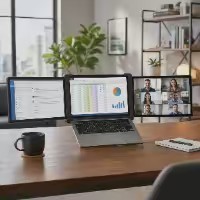 @WFH Desk Upgrade▶ 6K
 @แม่เกดลูก2 📸▶ 319K
 @Sweetcrispy Plus▶ 1.1M
 @Nature Market▶ 1M
 @JILLIAN FELICE ✨▶ 1.5M
 @Mami del Sofá y la Cocina▶ 22K
This is one viral prompt from the Clipcat AI video prompt library. There are millions more real viral AI shoppable videos and prompts here, free to search and copy by market, product category and video type.
Browse the libraryClipcat.ai is the AI video marketing automation platform trusted by TikTok sellers, creators and affiliates worldwide. Every AI shoppable video and prompt here is hand-picked to help you spot winners faster and make better ones.