Singapore · Pre-Owned · Product Close-Up
 @JT▶ 122
Samsung S26 Ultra. #samsungs26ultra #samsunggalaxys26ultra #s26ultra #samsung #samsunggalaxy
On a dusk city observation deck, a hand holds Samsung Galaxy S26 Ultra to show its back, lens zooms in to macro shot of rear multi-camera module, background is blurred dusk skyscraper skyline, product name is displayed on top, promo note at bottom, lens finally stays on camera module close-up
[Style]: Premium tech product promotional video style, with exquisite, fine-grained picture texture, rich layers of light and shadow, highlighting the futuristic feel and premium quality of the flagship smartphone.
[Environment]: The opening scene is a city observation deck at dusk, with a skyline of staggered skyscrapers in the background, and the sky displaying a stunning twilight gradient from orange-red to navy blue. Subsequent scenes switch in sequence to aerial real footage of a coastal mountain city, the exterior of a clock tower building, a retro pedestrian street at night, a solid-color gradient tech background desktop, a wireless charging display stand, and a pitch-black premium display space. The overall environment layout is clean and upscale, with full focus kept on the smartphone product itself throughout.
[Tone & Pacing]: The overall rhythm is brisk and sharp, with smooth and tight shot transitions. Every product feature demonstration point connects precisely, maintaining a dynamic promotional pace throughout that conveys the technological wow factor brought by the flagship product.
[Camera]: Uses a rich variety of camera movements, including first-person handheld demonstration perspective, macro close-up shots, aerial panoramic shots, 360-degree orbiting rotation shots around the product, and smooth push-in shots on screen details. All camera movements are stable and fluid, accurately capturing every detail of the phone's exterior and functions.
[Lighting]: The opening city scene uses soft natural dusk light to create an atmospheric mood. The subsequent product demonstration sections use multi-source professional studio lighting to create a soft, even high-brightness effect, precisely outlining the fine luster of the phone's metal and glass body, with no harsh shadows on the frame to highlight the product's exquisite texture.
[Character]: No on-screen real-life human characters appear. All hand movements are shown as partial close-ups, only presenting the partial hand frames of holding the phone and operating the S Pen.

[Shots]
Shot 1:
  - Duration: 0.0sec - 1.5sec
  - Scene Type: Close-up product shot
  - Scene: At the dusk city observation deck scene, a hand holds the back of a Samsung S26 Ultra for demonstration. The camera gradually zooms in to focus on the multi-lens camera module on the rear of the phone for a macro close-up, with a blurred background of the twilight skyscraper skyline. The text 'SAMSUNG S26 ULTRA' appears at the top of the frame, and a yellow 'Exclusive Promo Here!' prompt bar remains at the bottom. The camera pushes slowly forward from the full view of the phone's back, finally stopping at the macro close-up of the camera module.
  - Subject: A studio. A cinema. In your pocket. Galaxy S.
Shot 2:
  - Duration: 1.5sec - 2.5sec
  - Scene Type: Product performance demonstration
  - Scene: A hand holds the front of the phone, lights up the screen to display the real-time identical dusk city skyline image shown on screen. The screen image is clear and fine, echoing the real scene in the background to amplify the intuitive visual impact of the product's display effect. The camera stays fixed on the front of the phone, slightly adjusting the holding angle to keep the frame centered and stable.
  - Subject: A studio. A cinema. In your pocket. Galaxy S.
Shot 3:
  - Duration: 2.5sec - 3.5sec
  - Scene Type: Usage scenario setup
  - Scene: The frame switches to an aerial shot, showing the beautiful mountain city perched on a cliffside coast from a high altitude, with the blue sea contrasting perfectly against the buildings with red roofs and white walls. White 'Galaxy S26 Ultra' product name subtitles are overlaid in the center of the frame. The aerial shot moves slowly and steadily forward along the coastline, revealing a wide and stunning panoramic landscape.
  - Subject: 26 Ultra, a 200B Pro camera with Ultra, Telewide, and Stubbuck.
Shot 4:
  - Duration: 3.5sec - 4.5sec
  - Scene Type: Product performance demonstration
  - Scene: A hand holds the front of the phone, the screen clearly displays a high-definition photo of a retro clock tower building. Another hand holds the S Pen, pointing its tip at the clock tower image on the screen, with the tip aligned to the detailed part of the clock tower to demonstrate the phone's precise screen touch and high-definition imaging capabilities. The camera focuses on the phone screen, steadily capturing the entire process of the S Pen pointing at the screen.
  - Subject: 26 Ultra, a 200B Pro camera with Ultra, Telewide, and Stubbuck.
Shot 5:
  - Duration: 4.5sec - 6.0sec
  - Scene Type: Ease of use demonstration
  - Scene: A hand holds the phone, the screen displays a long-exposure night scene photo of a brightly lit pedestrian street at night. The frame then switches to the phone's color adjustment interface, with a colorful color wheel presented in the center of the screen. The hand holding the S Pen slides on the color wheel to finely adjust the color parameters of the image. The camera stays in close-up, focused on the interactive actions between the phone screen and the S Pen, clearly demonstrating the color adjustment operation process.
  - Subject: Stunning Night Mode. Shoot 8K with the S Pen on a breathtaking 20th system.
Shot 6:
  - Duration: 6.0sec - 9.0sec
  - Scene Type: Product versatility demonstration
  - Scene: A hand holds the phone, using the S Pen to swipe through multiple stunning landscape photos in the photo album, then taps into the video editing software interface, operating the S Pen to perform editing and material adjustment actions on the video timeline. The 'SAMSUNG S26 ULTRA' logo remains at the top of the frame at all times. The camera stays fixed on the front of the phone, following the S Pen's swipe trajectory throughout to show the operation details on the screen.
  - Subject: Stunning Night Mode. Shoot 8K with the S Pen on a breathtaking 20th system.
Shot 7:
  - Duration: 9.0sec - 11.0sec
  - Scene Type: Product versatility demonstration
  - Scene: The phone is placed on a white vertical wireless charger for wireless charging, the charging base is connected to a white charging cable, with a clean light blue gradient tech background behind it. The frame then switches to the phone screen, swiping to show the huge number of various work materials stored in the phone's large-capacity photo album. First, a fixed camera position shows the phone resting on the charging base, then the camera focuses on the lit phone screen, following the photo album swipe action to display the stored content.
  - Subject: 5G speed. All day battery. Up to 1 TB of storage. Iconic
[Background Sound]:
- No background music, fully driven by visuals and on-screen text. The silent design avoids distracting the audience, keeping their full attention on the text and visual presentation on screen.
[Transition / Editing]:
- Uses silky smooth transition effects: the city scenery shot in the previous frame seamlessly connects to the phone screen frame of the exact same scene. Paired with fast-paced shot editing and switching, every product function demonstration point jumps quickly, maintaining visual dynamism and a high-tech feel throughout to reinforce the product's premium flagship identity.
@JT▶ 122 @JT▶ 37
 @JT▶ 39
 @JT▶ 559
 @JT▶ 36
 @JT▶ 39
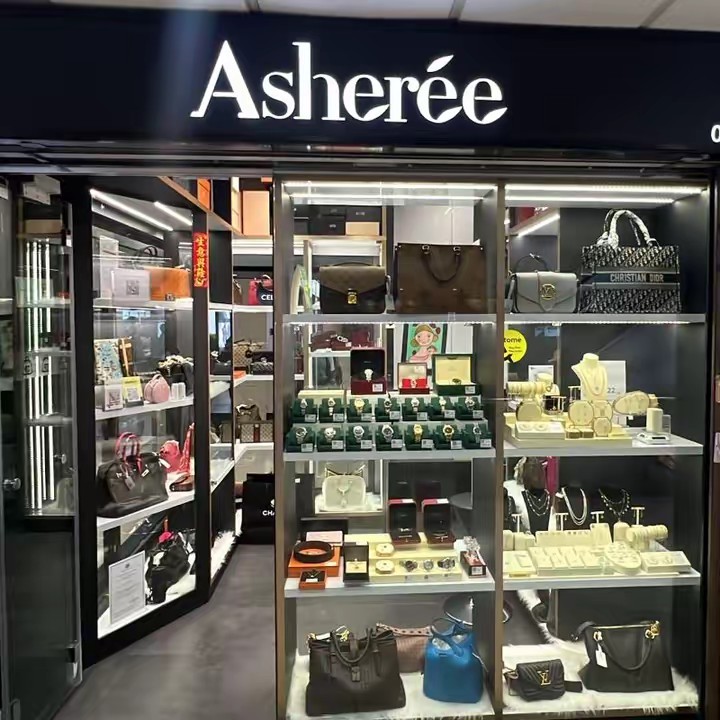 @Ashereelp▶ 33
 @Shop With Skye Yap SG ✅▶ 10
 @vezzoso88🧿(Teochew 妹)▶ 182
 @xenia_bulwer▶ 70
 @boyd_marner▶ 37
 @Luxebags▶ 37
 @Electrolux Việt Nam▶ 330K
 @Shop Thời Trang Nữ ✅▶ 320K
 @URBAN FIT CO.▶ 1.1M
 @Clyn▶ 51K
 @Mine▶ 257K
This is one viral prompt from the Clipcat AI video prompt library. There are millions more real viral AI shoppable videos and prompts here, free to search and copy by market, product category and video type.
Browse the libraryClipcat.ai is the AI video marketing automation platform trusted by TikTok sellers, creators and affiliates worldwide. Every AI shoppable video and prompt here is hand-picked to help you spot winners faster and make better ones.