What should a viral video replication preserve?
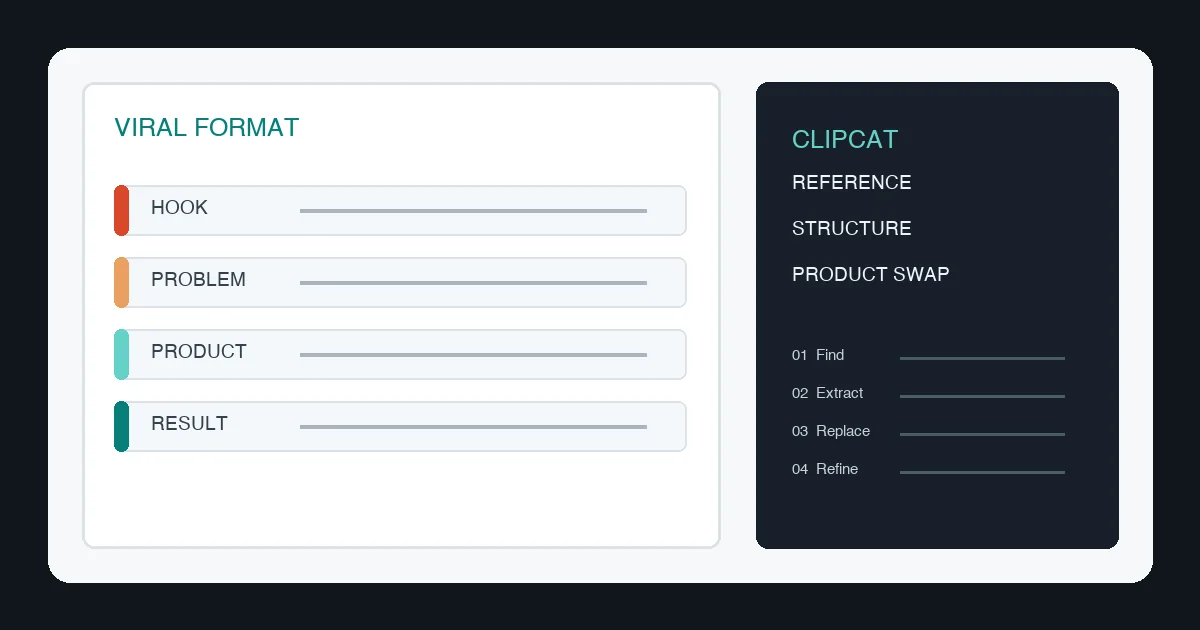
The transferable part is the content structure: a reason to keep watching, a recognizable problem, a product action that solves it, and one memorable benefit at the end.
Learn the narrative system, not the original expression.
Keep the pacing and logic when useful, but redesign the person, language, music, brand marks, product, and setting. That is what turns a reference into original ecommerce content.
Where Clipcat fits in the workflow
Before generating a “similar” video, make the reference explicit. Ask who it targets, what problem it shows, when the product appears, which action proves the benefit, and whether the output should be a script, storyboard, or voiceover.
Use Clipcat’s video-to-prompt tool to extract shots and actions, then use viral video cloning to rebuild the format around your own product.
A practical ecommerce replication prompt
To start from product images, use the AI TikTok video generator and test several scene variants.
Four things to replace
| Swap | Rebuild |
|---|---|
| Product | Appearance, handling, visual focus, verified benefits |
| User context | Location, time, reason to use, problem state |
| Expression | Presenter, language, outfit, voice, emotion |
| Benefit order | One primary benefit plus one or two supporting details |
Setting is not decoration. It explains why the viewer needs the product. Organizers need a before-and-after surface; kitchen products need operation; fashion needs a styling change; electronics need a visible function.
A five-step review loop
1. Choose a transferable reference
Match the category, market, and content format instead of chasing views alone.
2. Study the first three seconds
Look for the first shot, question, caption, product entrance, and whether the voiceover gives a problem or result.
3. Split by time
Start with 0–3 seconds for the hook, 3–8 for the problem, 8–15 for product action, and 15–20 for the result.
4. Add verified product facts
Provide product images, audience, market, language, benefits, and constraints. Never ask the model to invent claims.
5. Review the output
Check product consistency, packaging, logos, motion, captions, voiceover, and unauthorized elements before publishing.
Frequently asked questions
Is TikTok viral video replication just copying?
No. Preserve useful structure while redesigning the product, user, setting, language, and benefits.
How does Clipcat help?
Clipcat supports prompt discovery, video structure extraction, product scripts, video-to-prompt analysis, and viral-format adaptation.
What should I analyze first?
Start with the first three seconds, the customer problem, product entrance, proof action, and ending result.
Turn a reference into original product content
Extract the structure, replace the product, and iterate with Clipcat.
Use ClipcatThis guide is independently adapted from the supplied CSDN article. It discusses structure transfer, not copying another creator’s expression or assets.