Recreate the structure, not the original video
A video earns attention through a clear sequence, not just a polished frame. Study how the first three seconds create interest, when the problem appears, how the product is demonstrated and how the ending resolves the story.
In practice, recreation means structural adaptation. Keep the problem-to-demo-to-result relationship, while changing the person, setting, product, voiceover and captions for your own account.
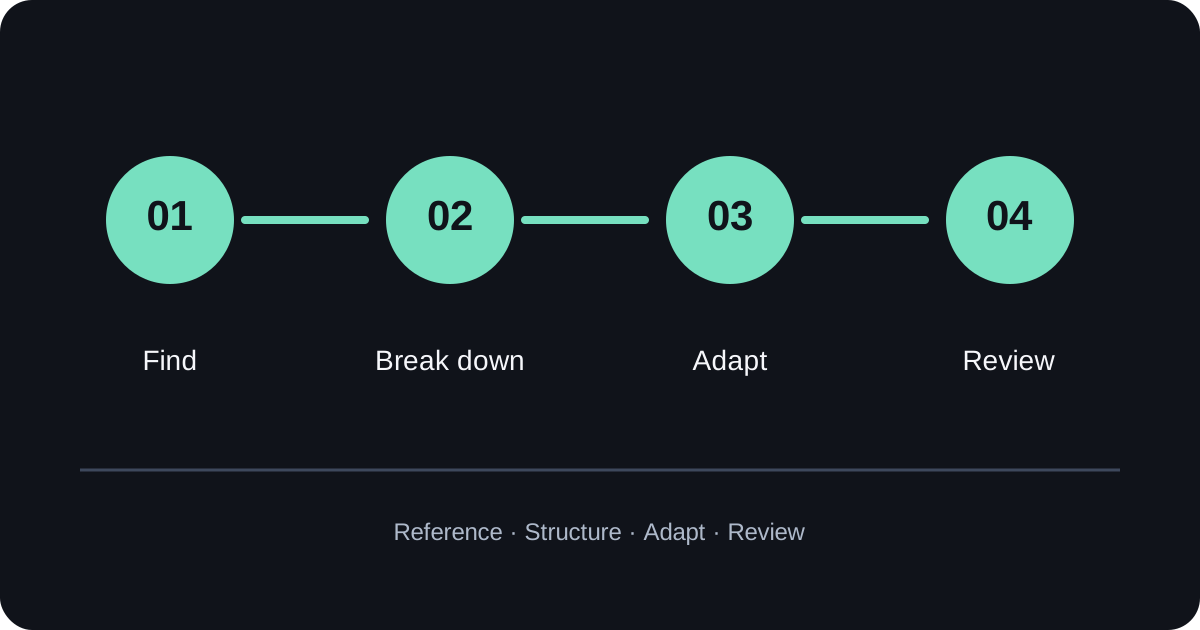
A four-step TikTok selling-video breakdown
Filter by category, market and video format.
Mark the hook, problem, demo and result.
Replace product, person, setting and language.
Check product details, rights and platform rules.
1. Find a close reference, not a generic hit
For fashion, look at OOTD, try-on, body-shape comparisons and fabric close-ups. For home products, study before-and-after organization, hand demonstrations and everyday scenes. The closer the audience and use case, the more useful the reference.
2. Map the video by seconds
For a 20-second video, start with 0–3 seconds for the hook, 3–8 for the problem, 8–15 for the product demo and 15–20 for the result or use case. This makes the brief easier for both human creators and AI video tools to follow.
3. Rewrite the prompt around your product
Specify the aspect ratio, duration, market, product benefit, person, camera action and constraints. “Make a viral video” is too vague; explain what the video needs to prove.
Where Clipcat fits in the workflow
Clipcat works well as a research and prompt-preparation layer. Search by product, market and video type to understand why a reference works, then use related selling scripts, shot structures and product-video prompts as a starting point for your own brief.
Its free prompt resources cover short-form voiceovers, product demonstrations, shot lists, product images and cross-border commerce copy. The most reliable approach is to find a close template and add accurate product information, rather than sending a template unchanged to a generator.
For production, pass the brief to an AI video generator, then use video upscaling and the right video model where needed.
Boundaries to keep in mind
- Do not recreate the original creator’s face, voice, identity or signature performance.
- Do not reuse the original footage, captions, brand marks or music without permission.
- Do not instruct a tool to make an “identical” copy.
- Do not add unsupported performance, sales or earnings claims.
A better brief says: use the reference’s pacing and shot logic, but design a new person, setting, product and voiceover.
Pre-publish review checklist
- Are the product appearance, color and proportions consistent?
- Do the face, hands and movements look natural?
- Are captions and voiceover correct for the target market?
- Are there watermarks, competitor marks or unlicensed assets?
- Are the claims accurate and compliant with platform rules?
FAQ
Can Clipcat copy a Douyin or TikTok video?
Use it to find and study related examples, then extract the structure and prompt approach for a new production. Directly reusing another creator’s assets creates copyright and review risks.
Will a recreated video get the same views?
No result is guaranteed. Adaptation improves research and production efficiency; performance still depends on the product, audience, account positioning, creative quality and testing.
How should I use prompt resources?
Find a close template by product and scene, add real product facts, audience, language and output format, then iterate after reviewing the result.
Start with one reference video
Turn a useful idea into testable content versions with a structured prompt.
Note: review AI-generated assets before publishing and verify product facts, rights and platform policies.