WHAT'S NEW · TIKTOK ANALYTICS

New Analytics —
grow with real data.

Connect your TikTok account, authorize once, and see how your account and every video really perform — track key metrics per account, browse all-video rankings at a glance, aggregate, compare, and remix your winners in one click. This post covers how to authorize, what analytics shows, what “remix” really does, and the video publishing that’s coming soon.

Clipcat Shipped September 2026 Available once you connect a TikTok account
By account
Connect all your TikTok accounts and track key metrics in one place — no back-and-forth.
By video
See every video’s ranking on one screen, spot winners fast, and remix them to scale.
Aggregate & compare
Aggregate data easily and compare video performance side by side.
Step

Step 1 · Authorize

Open the link in a safe environment, or scan with TikTok — authorize once to analyze that account’s videos.

Authorize once, use everywhere

Connect TikTok in one step.

In Analytics, start the authorization and you’ll see two ways to connect: copy the authorization link and open it in a safe environment, or scan the QR code with TikTok. Either way, once it succeeds the account is connected to Clipcat — from there you can manage accounts, add more authorizations, and revoke access anytime. Authorization is only used for analysis and publishing and never collects your personal private information.

  • Two ways: copy the link, or scan the QR with TikTok
  • Connected instantly — manage and add multiple accounts
  • Revoke anytime; no personal private data is collected
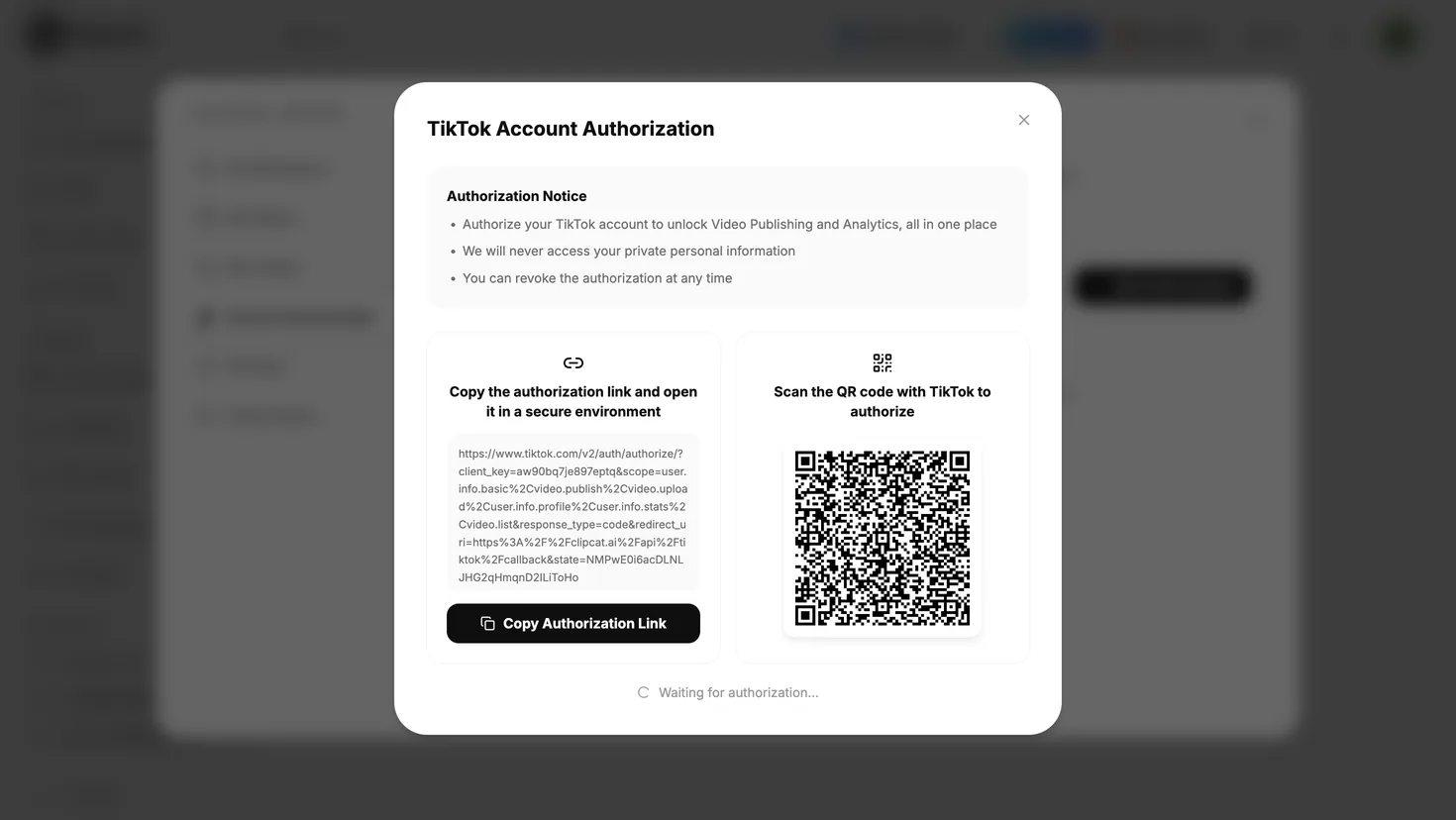
Clipcat TikTok account authorization dialog: copy the link to open in a safe environment, or scan the QR with TikTok

Two ways to authorize — pick one

Copy the link
Copy the authorization link, open it in a safe browser, and confirm in TikTok’s prompt.
Scan with TikTok
Scan the on-screen QR code with the TikTok app and confirm on your phone — great for mobile.
Step

Step 2 · See the data

An account-level overview plus per-video detail — trends and video rankings on a single screen.

Account overview + per-video detail

See who’s growing and which video wins.

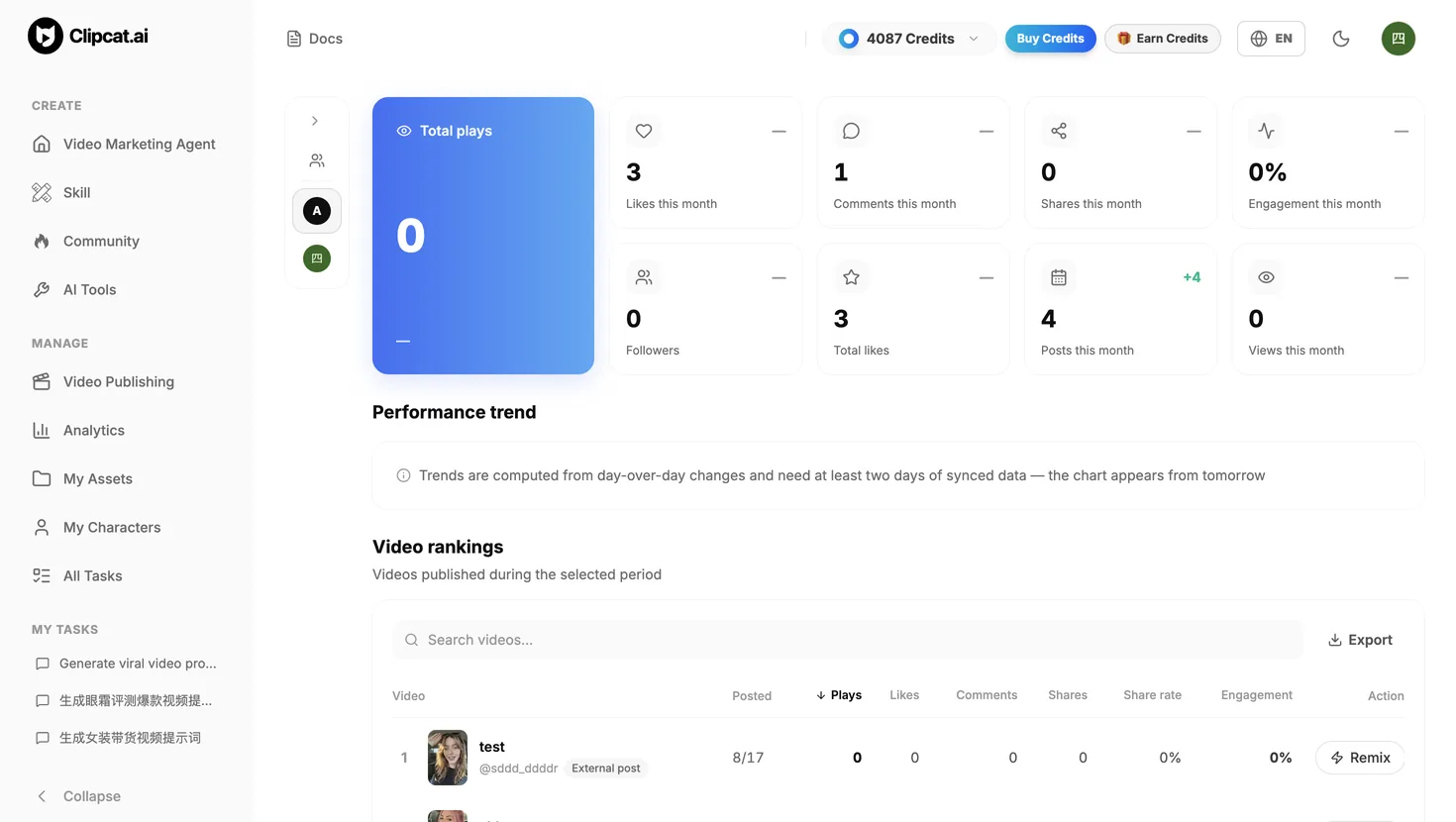
Analytics gives you an account-level overview: total plays, monthly likes / comments / shares / engagement rate, followers, total likes, plus posts and views this month — all on one screen — with a performance trend that updates from daily data. Below it, the video ranking lists every post in the period so you can sort and compare by plays, likes, comments, shares, share rate and engagement, pinpoint the real winners, and remix them in one click.

  • Overview: plays, likes, comments, shares, engagement, followers, total likes
  • Performance trend updates from daily synced data
  • Rank and compare videos on multiple metrics, then remix winners
Clipcat Analytics page: account overview metric cards, performance trend, and video ranking list
Remix

One-click remix · four ways

Hit “Remix” in the video ranking to turn a winning post into your own new, original video — four ways to do it.

Similar remix
Keep the original’s pacing and structure, swap in your product and selling points.
Character swap
Keep the script and camera work, replace the on-camera person with your own.
Keep the viral hook
Borrow only the strongest opening hook; regenerate everything after it.
Shot swap
Pick and replace shots one by one, recompose the frames into a new story.
Remix ≠ copy — we make originals
“Remix” here means we parse the original video, rewrite the extracted prompt/script for your chosen method, then combine it with your product image and a video model to generate a brand-new AI selling video. The result won’t match the original — a 1:1 copy is plagiarism that TikTok throttles, and we don’t encourage it. What we do encourage: reference the winning script and generate your own original AI video.
Soon

Coming soon · Publishing

Video publishing is in the works and coming soon — accounts you’ve already authorized can publish here later.

Publish to TikTok in one click · coming soon

Authorize once, publish later.

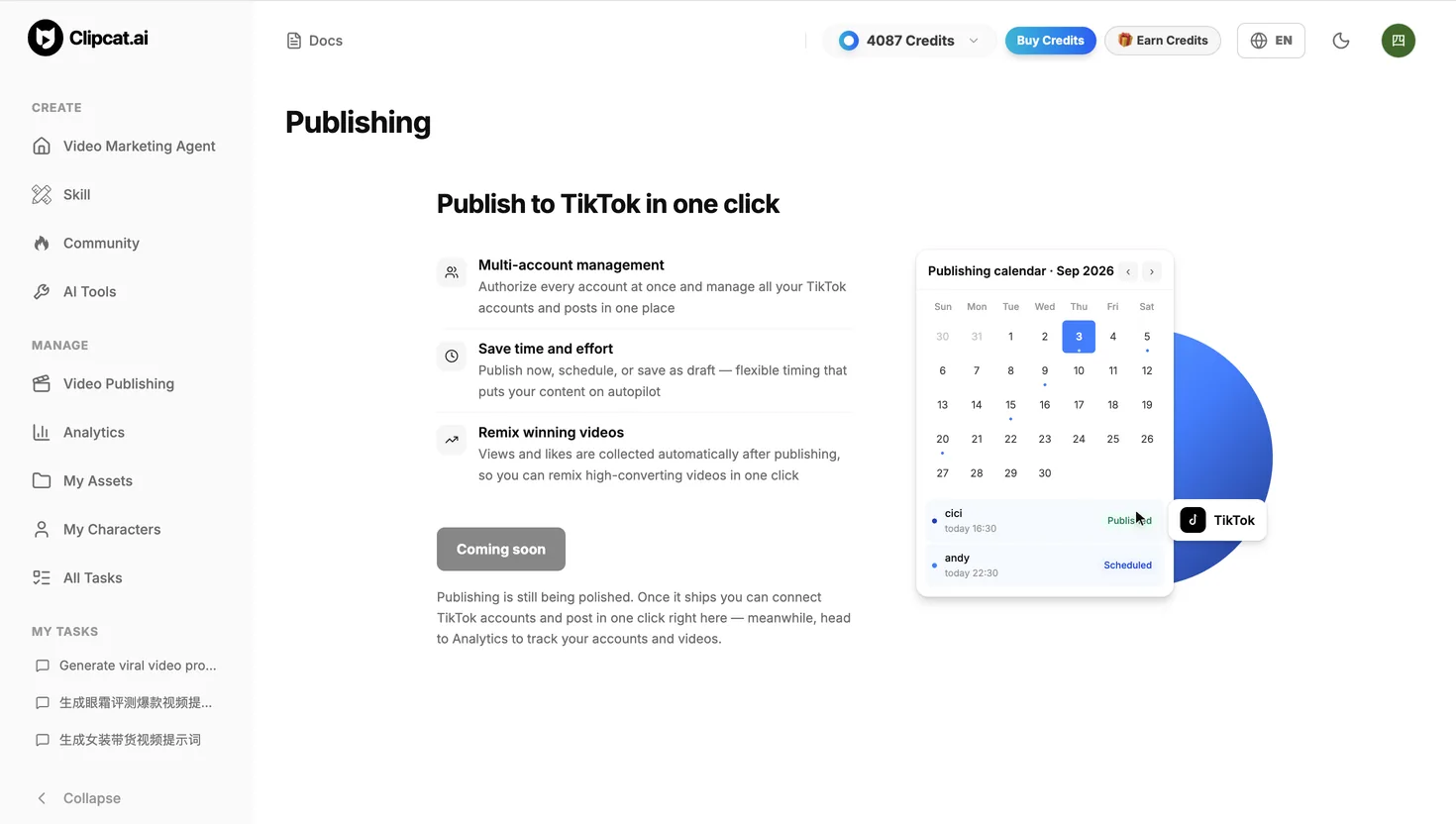
Video publishing is being polished; once live you’ll authorize a TikTok account and publish in one click: authorize multiple accounts centrally and manage them all in one place; publish now, schedule, or save drafts for flexible timing and automation; and after posting, plays and likes are collected automatically so you can remix the high-converting ones. For now, use Analytics to review account and video performance — accounts you’ve already authorized will work the moment publishing ships.

  • Authorize multiple accounts centrally, manage all in one place
  • Publish now, schedule, or save drafts — flexible timing
  • Auto-collect data after posting, remix winners in one click
Clipcat video publishing page: one-click publish to TikTok, multi-account management, and posting calendar (coming soon)
How to start
Open Clipcat and go to Analytics, copy the authorization link or scan with TikTok, and after one authorization you can review account and video performance. Publishing is coming soon, and authorized accounts can publish in one click when it ships.
FAQ

FAQ

Is authorizing my TikTok account safe? Do you take private info?
Authorization is only used for analysis and publishing, never collects your personal private information, and can be revoked anytime in account management.
Do I have to authorize every time?
No. Authorize once to analyze that account’s videos; afterward you can manage accounts and add more authorizations here.
Does “remix” just copy the original video?
No. Remix parses the original, rewrites the script for your chosen method, then generates a brand-new AI video with your product image and a video model. A 1:1 copy is plagiarism and gets throttled by TikTok, so we don’t encourage it.
What metrics does Analytics show?
The overview includes total plays, likes, comments, shares, engagement rate, followers, total likes, plus posts and views this month; the video ranking sorts and compares every post on multiple metrics.
Can I use video publishing now?
Publishing is being polished and coming soon. For now use Analytics to review performance — authorized accounts can publish in one click once it ships.
TikTok Analytics: Connect Your Account, See Every Video