The verdict
Clipcat is worth considering when your bottleneck includes both making videos and deciding what to make next. Its public feature set connects product research, reference discovery, video generation and performance analysis. The strongest reason to explore it is that connected workflow, rather than any promise of automatic sales.
For a TikTok Shop seller, the next creative starts before the editor opens. You need a product angle, a convincing demonstration and a hook that belongs to your audience. This guide looks at Clipcat through that production cycle, using its published product information rather than an invented hands-on score.
Key features
Clipcat describes itself as a TikTok e-commerce video marketing agent. Sellers can supply product images and a brief, or bring a TikTok reference link, with AI handling scripts, storyboards, voiceover and video generation.
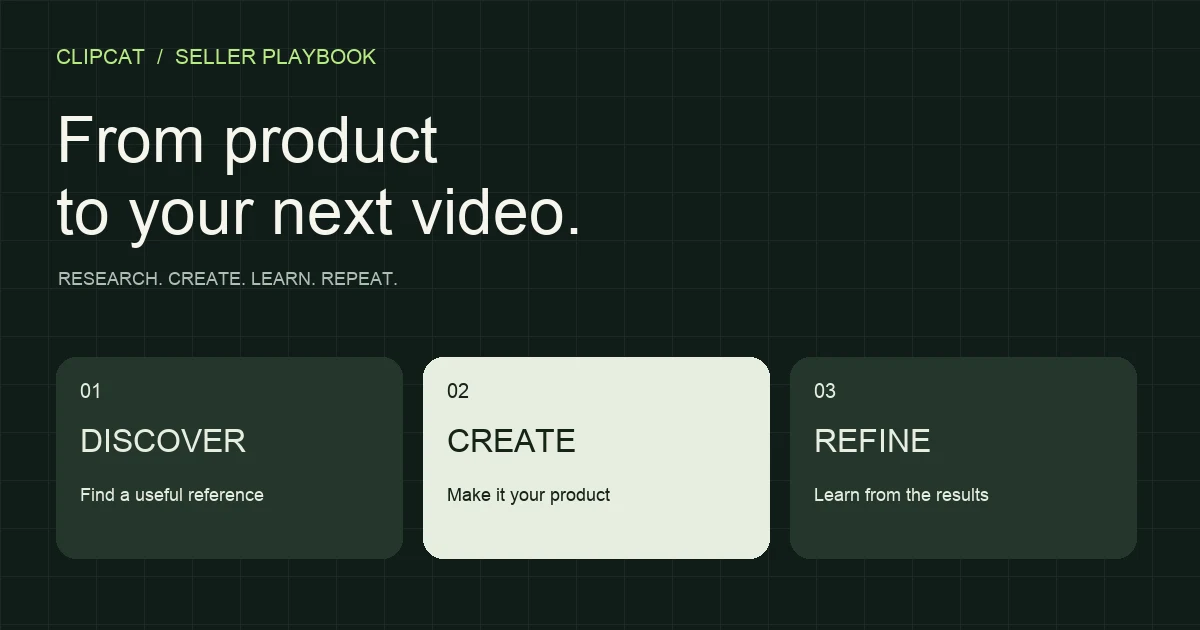
01 / DISCOVER
Build a reference library with a purpose
The platform lists product research, keyword-based video collection and competitor-account tracking among its capabilities. Start with viral video collection to find relevant examples. A useful reference shows how a comparable customer understands a product; a large view count alone does not make it relevant to your store.
02 / UNDERSTAND
Study the sequence, not just the look
A strong product video often follows an understandable sequence: introduce a problem, demonstrate a solution, then resolve a buying objection. Clipcat’s video analysis tool offers a starting point for studying reference material. Carry the useful storytelling idea into your brief while using accurate claims and assets you have permission to use.
03 / CREATE
Turn your own product into the subject
Clipcat supports product-led generation and reference-based video recreation. Its listed formats include voiceover, unboxing reviews, outfit content and localized videos. Multiple clear product views give the system more useful input than a single ambiguous image.
A specific brief is equally important. Name the audience, use case, key benefit and desired ending. The viral ad prompt generator can help organize that starting direction. Check the resulting product shape, labels and demonstrations before treating a generated clip as usable inventory.
04 / IDENTITY
Extend a recurring character and asset set
The public feature list includes consistent on-camera characters and product imagery such as white-background shots, scene images and model try-ons. These are relevant to a store building recurring creative formats. Character continuity and product fidelity should still be evaluated with your particular inputs.
05 / LEARN
Bring performance back into the brief
Clipcat also describes multi-account management, video diagnostics and optimization recommendations. That extends the workflow beyond rendering a file. Use a diagnosis to form your next hypothesis—such as showing the product earlier—then compare it with your actual watch, click and purchase data.
Pricing & credits
Clipcat uses credits. A plan’s estimated video count is not a universal allowance: model choice, duration, resolution and generation method affect consumption. Price your intended workload, including likely retries, rather than dividing a subscription fee by the largest number on a plan card.
| Plan | What to compare |
|---|---|
| Basic | Core access, character limits and asset storage |
| Creator | Sub-accounts, concurrent work and retention |
| Expert | Small-team capacity, tracking limits and queue |
| Enterprise | Higher concurrency, priority and storage |
Use the current Clipcat pricing page for amounts and allowances. The official FAQ says monthly credits are valid for one month, while annual credits are issued upfront for a year; it also describes renewal protections for monthly credits. Check the terms attached to the purchase you choose.
The refund distinction matters for budgeting: the published policy separates system-caused generation failures from outputs you simply dislike. It states that credits are automatically returned for system failures, not for an unsatisfactory creative result. Test a small, representative workload before committing to a larger production plan.
Who it fits
The best fit is a seller or compact creative team running a repeatable product-content cycle. You already know what the product does, have usable images and need more ways to present it.
| A strong reason to explore | Keep another workflow available |
|---|---|
| Frequent TikTok Shop creative production | Frame-accurate editing and complex compositing |
| Reference-led testing across product angles | Exact physical demonstrations that require filming |
| Localized content and recurring characters | A highly directed flagship brand film |
The advantage is breadth across connected tasks. The trade-off is that generated output still needs selection and review. Your team remains responsible for product accuracy and for deciding whether a promising reference actually fits the offer.
Your first video
- Choose one familiar product.Collect clear views and write a short factual brief. For a travel organizer, specify the actual compartments and intended use rather than asking for a generic “viral ad.”
- Choose one creative hypothesis.For example: showing the contents first may make the benefit clearer than starting with a beauty shot. Use a relevant reference if it helps explain the sequence.
- Set the output requirements.Specify language, aspect ratio, duration and presentation style. Clipcat’s homepage FAQ lists a default of 15 seconds in English, with customization available.
- Generate, then inspect.The official estimate is around 10–20 minutes, rather than instant delivery. Review product fidelity, captions, audio and physical actions. Record specific revisions.
- Test one meaningful change.Keep the offer comparable and alter the hook or demonstration order. Judge usable-output rate and production time alongside your channel metrics.
FAQ
How is Clipcat different from a conventional video editor?
Its published scope includes research, reference collection, analysis and AI generation, as well as account analytics. A conventional timeline editor offers manual control over footage and finishing. The two workflows can complement each other.
Do I need filming experience?
The official starting workflow uses product images and a written brief, optionally with a TikTok reference link. AI handles scripting, storyboarding, voiceover and generation. You still need accurate inputs and a final review.
Does recreating a winning format guarantee a viral video?
No. Product appeal, audience fit, creative execution, account context and distribution all influence results. Treat a reference as a hypothesis to test.
Is there a free option?
The homepage offers a free-start entry point and the pricing FAQ refers to a free tier. Check the account for the current trial allowance and available features; this should not be read as unlimited free generation.
How long does a video take?
The official homepage FAQ estimates around 10–20 minutes. The selected model, task and processing queue can affect the actual wait.
Start with one product. Learn from one real test.
Bring clear product images and a specific creative direction. Use your first Clipcat video to find out what is ready to run—and what your next brief should improve.
Explore Clipcat video generation →Sources: Clipcat’s official homepage, pricing and tool pages, checked September 10, 2026. This is a brand feature guide, not an independent scored test.
Product overviewPricing & terms