Quick answer: What is an AI avatar video?
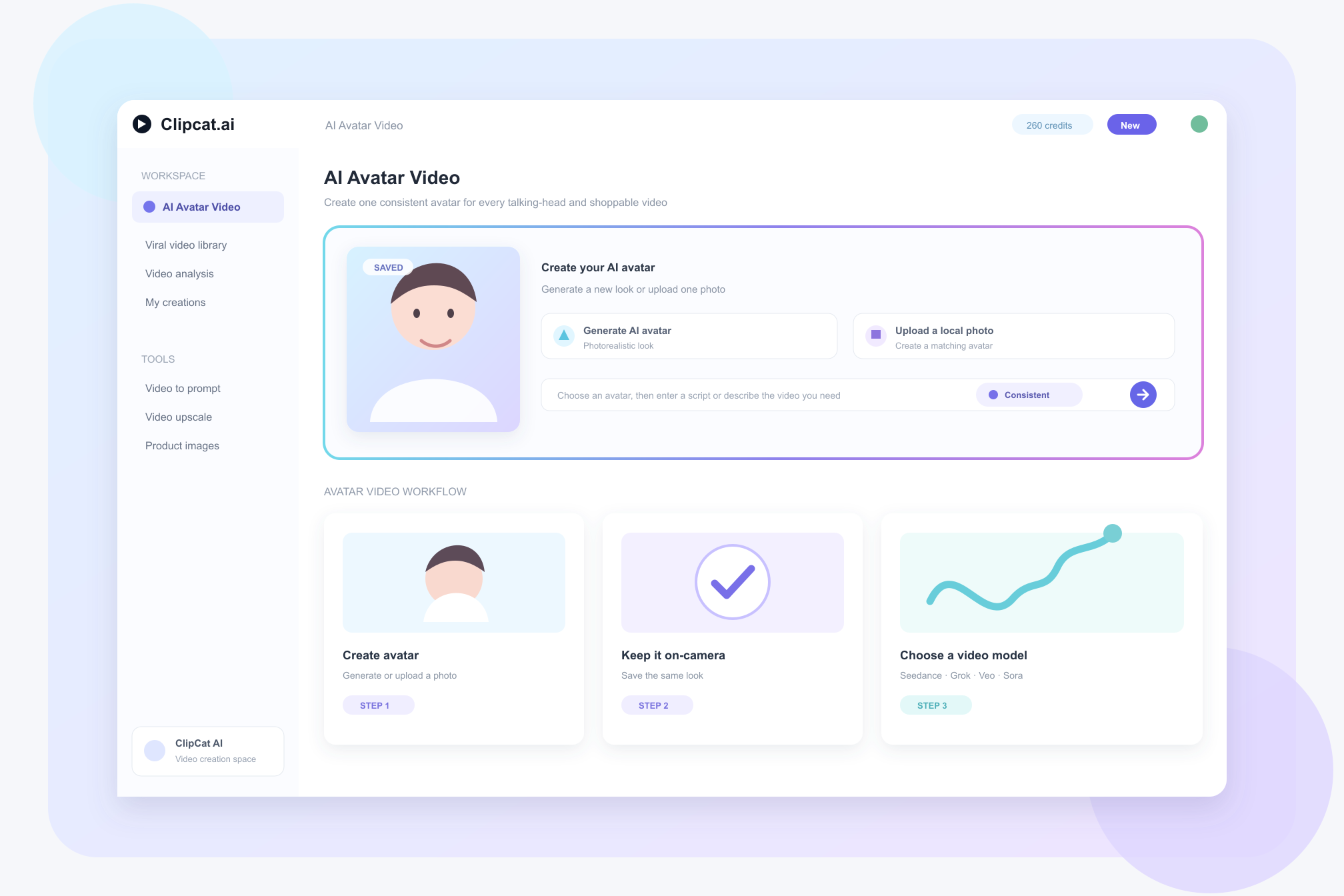
An AI avatar video uses an AI-generated virtual person in place of a real on-camera presenter. In ClipCat AI Avatar Video, you can generate an avatar look or upload a photo to create a matching digital human. Once saved, the same avatar can appear consistently in later videos.
For teams that need to publish talking-head, shopping, product-explainer or serialized content, the key is not only creating an avatar. It is being able to reuse the same on-camera presence across many videos, then choose a video model that fits the budget and visual direction.
Why AI avatar video is becoming part of everyday content production
Filming a real presenter means coordinating people, locations, equipment and reshoots. Cross-border ecommerce, growth teams and agencies often also need multiple languages, hooks and selling-point versions for the same product. AI avatars do not replace every real-person shoot, but they offer a reusable production option when content needs a consistent presenter and repeated testing.
A useful test is simple: if the content repeatedly explains a product, needs a stable account persona, or requires quick script iteration, a saved avatar can be a better fit than arranging a new shoot every time.
What ClipCat AI Avatar Video can do
ClipCat AI organizes avatar video around three actions: create a look, save the look and generate video. Its official product page states that you can generate a new avatar with AI or create one from a local photo; once created, the avatar is saved and can stay on-camera in future generated videos.
| Capability | Role in ClipCat AI |
|---|---|
| Create an avatar | Generate a new avatar with AI or upload a photo to create a matching digital human. |
| Consistent presence | Save the avatar and select the same look in later videos to keep a series visually consistent. |
| Multi-model generation | Choose among models listed on the product page, including Seedance 2.0, Grok Imagine 1.5, Veo 3.1 and Sora 2. |
| Short-video output | The product page says avatar video defaults to 9:16 vertical output and can be downloaded as MP4 for short-video publishing. |
Create your AI avatar video in three steps
- Generate or upload: Generate an avatar with AI, or upload a photo you have the legal right to use.
- Save the on-camera look: Save the avatar so it becomes a reusable, consistent presenter for future videos.
- Add a script and generate: Enter a script or concept, choose a video model, and generate a talking-head, shopping or explainer video.
This workflow can also work with ClipCat AI product assets, viral-video research and viral video replication. Viral video replication learns from the structure and selling logic of a reference video, then rebuilds content around your own product instead of simply reposting it.
Who AI avatar video is for
- Cross-border ecommerce sellers: Use one consistent presenter to explain products and keep adding shoppable short videos.
- Performance and growth teams: Test hooks, scripts, languages and selling points for the same product.
- Creators and UGC makers: Use a stable on-camera avatar to build a more recognizable series persona.
- Brands and agencies: Create separate avatar identities for different brands or clients and standardize talking-head video delivery.
Using an avatar does not guarantee views or conversions. It can reduce the repeated coordination involved in filming and make content testing easier to sustain. For product-led videos, continue to check product claims, use cases and rights for every asset.
Start creating an AI avatar with ClipCat AI
Create an avatar, keep it consistently on-camera, and focus more time on scripts, product messaging and content testing.
Create My AvatarFrequently asked questions
What is an AI avatar video?
An AI avatar video uses an AI-generated virtual person in place of a real on-camera presenter. ClipCat AI supports generating an avatar or creating one from a photo for shopping, talking-head and explainer videos.
Can the same avatar remain consistent across multiple videos?
Yes. According to the ClipCat AI product page, an avatar is saved after creation and can be selected to stay on-camera in later generated videos.
Which models support AI avatar video?
The ClipCat AI product page lists Seedance 2.0, Grok Imagine 1.5, Veo 3.1 and Sora 2 among the available models. Users can choose based on budget and visual style.
What should I consider before uploading a photo?
Only upload a photo that you have the legal right to use, such as your own photo or an authorized likeness. Do not use another person's likeness for unauthorized purposes.
This article uses the ClipCat AI AI Avatar Video product page as the source of product facts. The industry article supplied for the brief informed the topic direction. Features, available models and output settings may change; verify current details on ClipCat AI before publishing.